Security
Built to be checked, not taken on trust.
What the appliance never does, how it protects what it stores, what we have not done yet, and how to verify our claims yourself.
What the appliance never does.
Never writes to your network.
SNMP GET, GETNEXT and GETBULK only. It never changes a switch. When a port should be shut, the alert prints the command for a person to run.
Never talks to GigID Labs.
No telemetry, no license check, no update check, no vendor endpoint. Destinations under gigidlabs.com are refused.
Never sends your data to an AI service.
Device data leaves only for destinations an Admin configures: your SIEM, chat, ticketing or mail relay.
Never approves a device on its own.
Every device on a monitored jack waits for a person’s decision, including the box someone plugs in to run their own AI. Imported lists and rules never approve anything.
Architecture
One program on hardware you control, inside your network. It reads, it records, and it sends only where you point it.
What this shows
Your network, on-prem, contains the GigID Labs Appliance: one program with one data folder. Staff reach it from a browser over HTTPS, with a password and an authenticator code, and signed actions need an authenticator code entered in the last five minutes. The appliance reads switches and firewalls over SNMPv3 GET, read-only; every string they send is treated as untrusted, cleaned and capped, and a claim never raises trust on its own. Inside, the web interface has a strict Content-Security-Policy, CSRF checks and a Host allowlist; the log is signed with Ed25519 checkpoints every 15 minutes; secrets are sealed with AES-256-GCM and scrubbed from every output. Someone who edits the database cannot sign, and the audit catches the edit. Outside your network are your own destinations, used only if an Admin adds them: a SIEM (Splunk, Microsoft Sentinel or syslog), chat (Teams or Slack), ticketing (ServiceNow and PSAs) and email through your relay. Each address is checked before every connection, and secrets never appear in what is sent. GigID Labs is also outside, with no connection to the appliance at all; its addresses are refused as destinations.
The appliance is one static binary with no runtime dependencies. It keeps its data in one folder, readable only by the account that runs it: a SQLite database in strict mode, the key files and its own logs.
Inbound, it answers only the web interface, and only to the host names it is configured for. The full appliance serves it over HTTPS. In try-it mode it serves plain HTTP on the computer’s loopback address alone, and adds HTTPS only if you open it to the network with -lan.
The interface is server-rendered with a strict Content-Security-Policy: no inline scripts or styles, nonces on the scripts it does load, no third-party assets. CSRF protection, a Host allowlist, rate limits on sign-in and codes, and bounded request bodies apply to every route.
Network access: read-only, by construction.
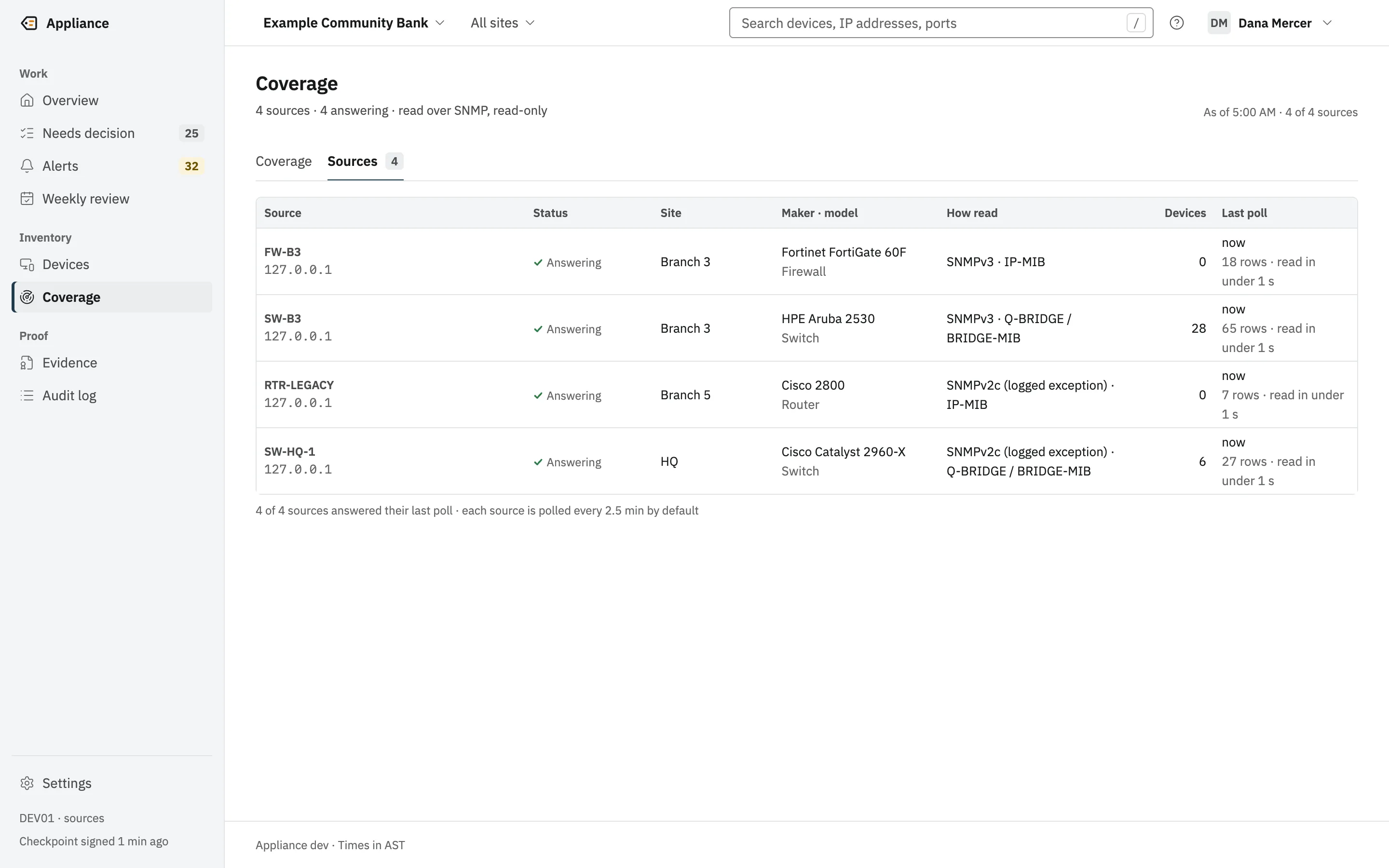
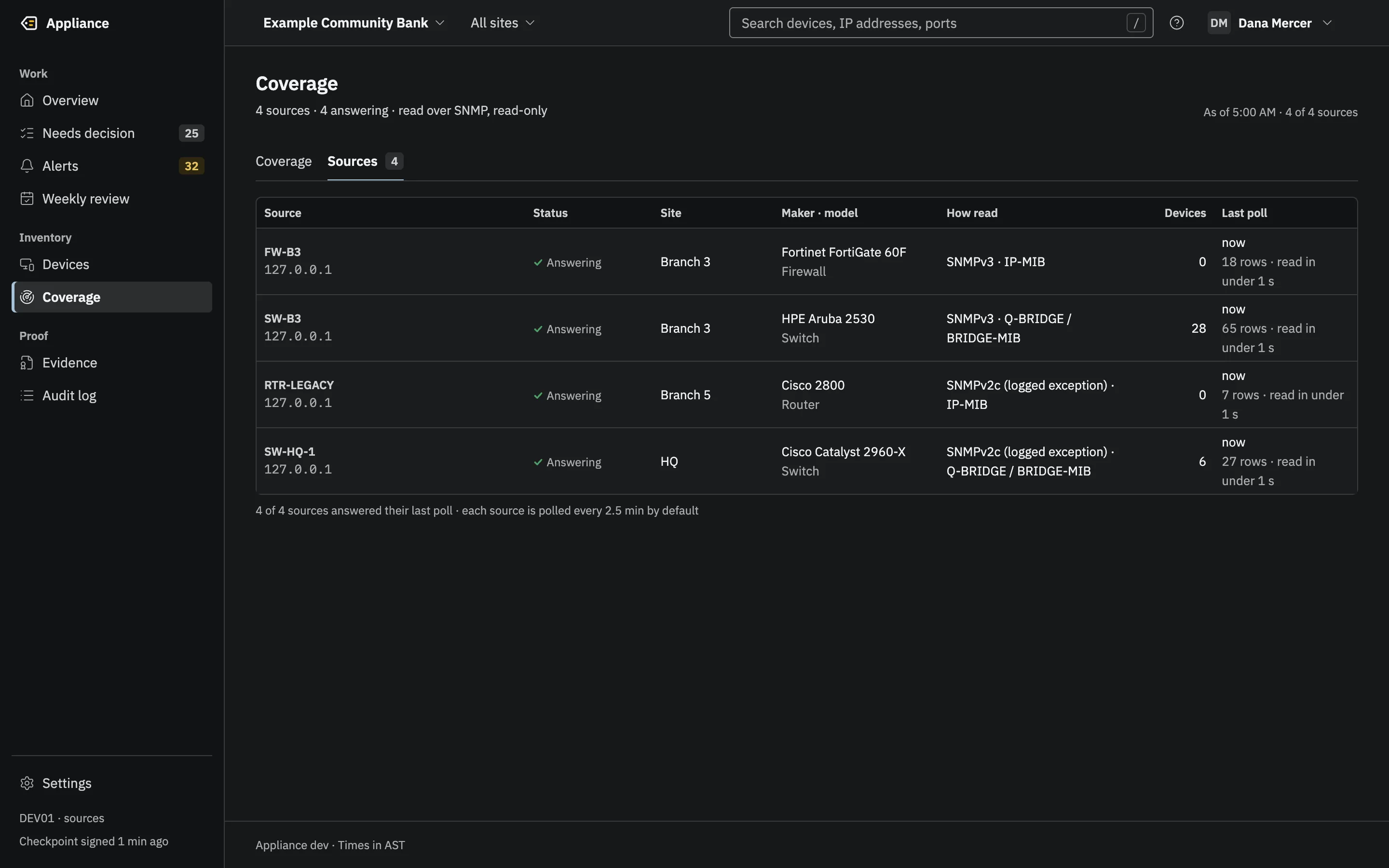
Switches and firewalls are read over SNMPv3. The appliance never changes them. When a port should be shut, the alert prints the command for a person to run.
- Operations
- GET, GETNEXT and GETBULK. The client exposes no Set method, and a test fails the build if one appears.
- Default security
- SNMPv3 authPriv with HMAC-SHA-256 (RFC 7860) and AES-128 (RFC 3826).
- Refused
- MD5, DES, noAuthNoPriv and authNoPriv. Nothing is sent with refused credentials.
- Accepted with a warning
- SHA-1 authentication.
- SNMPv2c
- Only as an explicit exception, labeled as a logged exception wherever the source appears.
- Secrets
- Sealed at rest with AES-256-GCM, printed as [redacted] in every log and output, never written to a capture file.
- Limits
- Every read is capped in rows, bytes and time; requests time out after 2 seconds with 2 retries.
The optional local scan
Scan my network helps on day one, before any switch is added. It is not purely passive, so here is exactly what it does. It runs only when a person starts it and confirms with a code. It sends one empty UDP datagram per address so the operating system resolves neighbors, reads the neighbor table, sends one mDNS query and one SSDP search, and looks up names through your resolver.
No TCP connections, no port or service probes, no credentials. Private ranges only, on an attached interface, so it never crosses a router. Results are labeled point-in-time and never count as monitoring.
Data handling
Everything stays on the appliance. Here is what it keeps, and the only things that ever leave.
What it keeps
Devices, their locations and history, alerts, decisions, coverage, users and settings, all derived from what the appliance itself read or what a person entered. The audit log is append-only and kept for good; packs prove it back to the first entry.
Every poll is stored as a row for 30 days, and summarized in an hourly roll-up entry in the log, with a hash of its polls, so coverage stays provable after the rows are purged. A poll whose result changes is also logged at once. Every purge is logged. Placement-completeness samples are kept for 400 days.
Switch and integration credentials are sealed with AES-256-GCM under one data key, and authenticator secrets under another. A scrubber is the last stage of every output, so a secret that reached a page, a log line or a payload would be removed, and logged as a bug.
Operations logs drop end-device MAC and IP addresses at the normal log level. Strings from the network are cleaned of control and invisible characters and capped before they are stored or shown.
What leaves, and when
- Your switches and firewalls
- SNMP read requests, to the sources an Admin adds. Nothing else.
- Your local subnet
- Only when a person starts Scan my network, after reading the consent text: one empty UDP packet per address, one mDNS query, one SSDP search, and reverse DNS lookups through your resolver. Private ranges only, never across a router.
- Your SIEM, chat, ticketing, pager, NMS and mail relay
- Only if an Admin configures them: alerts to any of them, filtered per destination, and the audit stream to a SIEM, syslog or signed webhook if chosen. SNMP notifications to your NMS are outbound messages, not writes to your gear. Every destination is itself a log entry.
- Your Microsoft tenant
- Only if you opt in: reads of Entra ID or Intune device lists through Microsoft Graph, from your own tenant.
- People who download
- Evidence packs, Rewind answers, board reports and exports. Each download from the interface is logged with its SHA-256.
- GigID Labs
- Nothing. No telemetry, no license check, no update check. Addresses under gigidlabs.com are refused as destinations.
Sign-in and roles
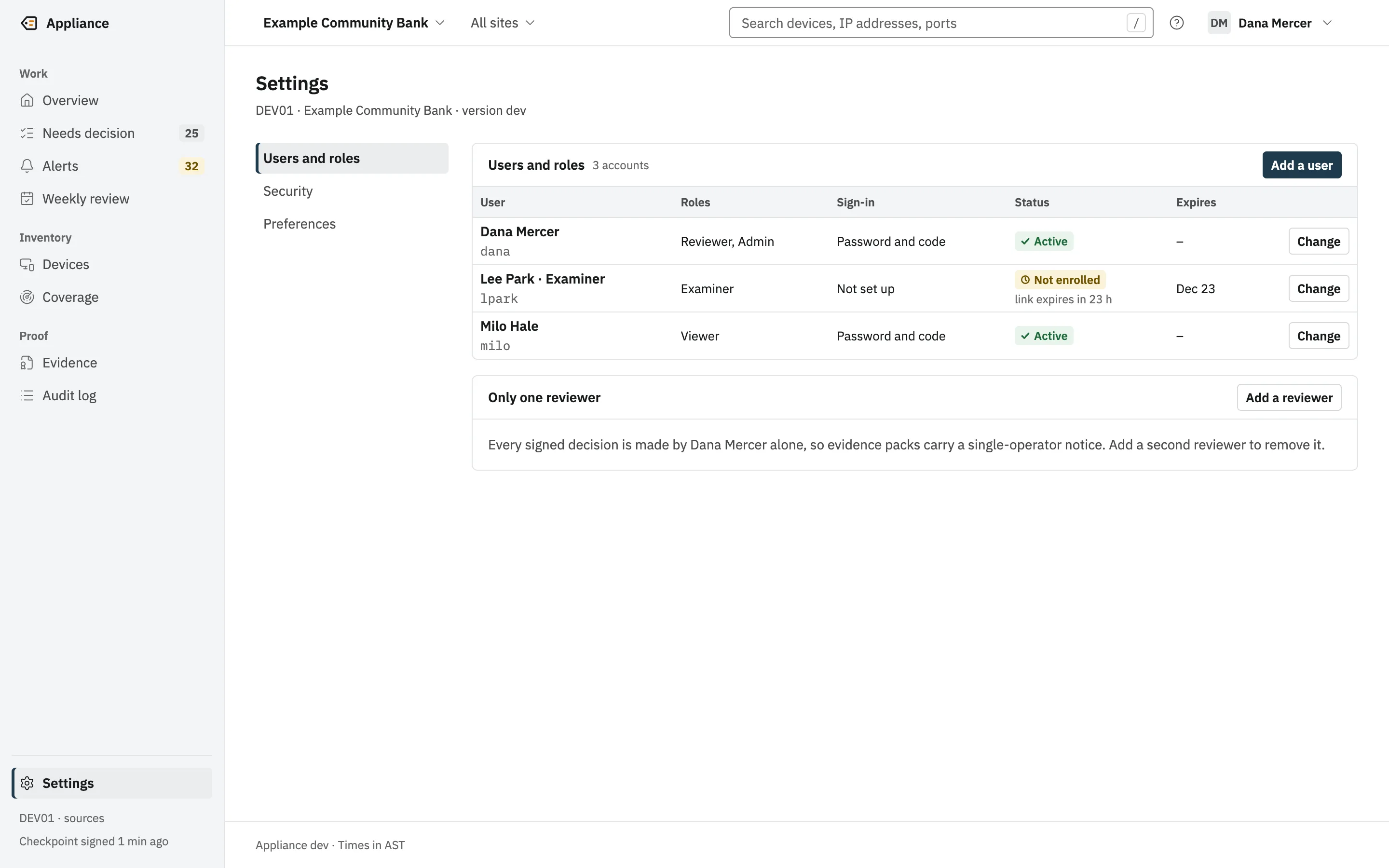
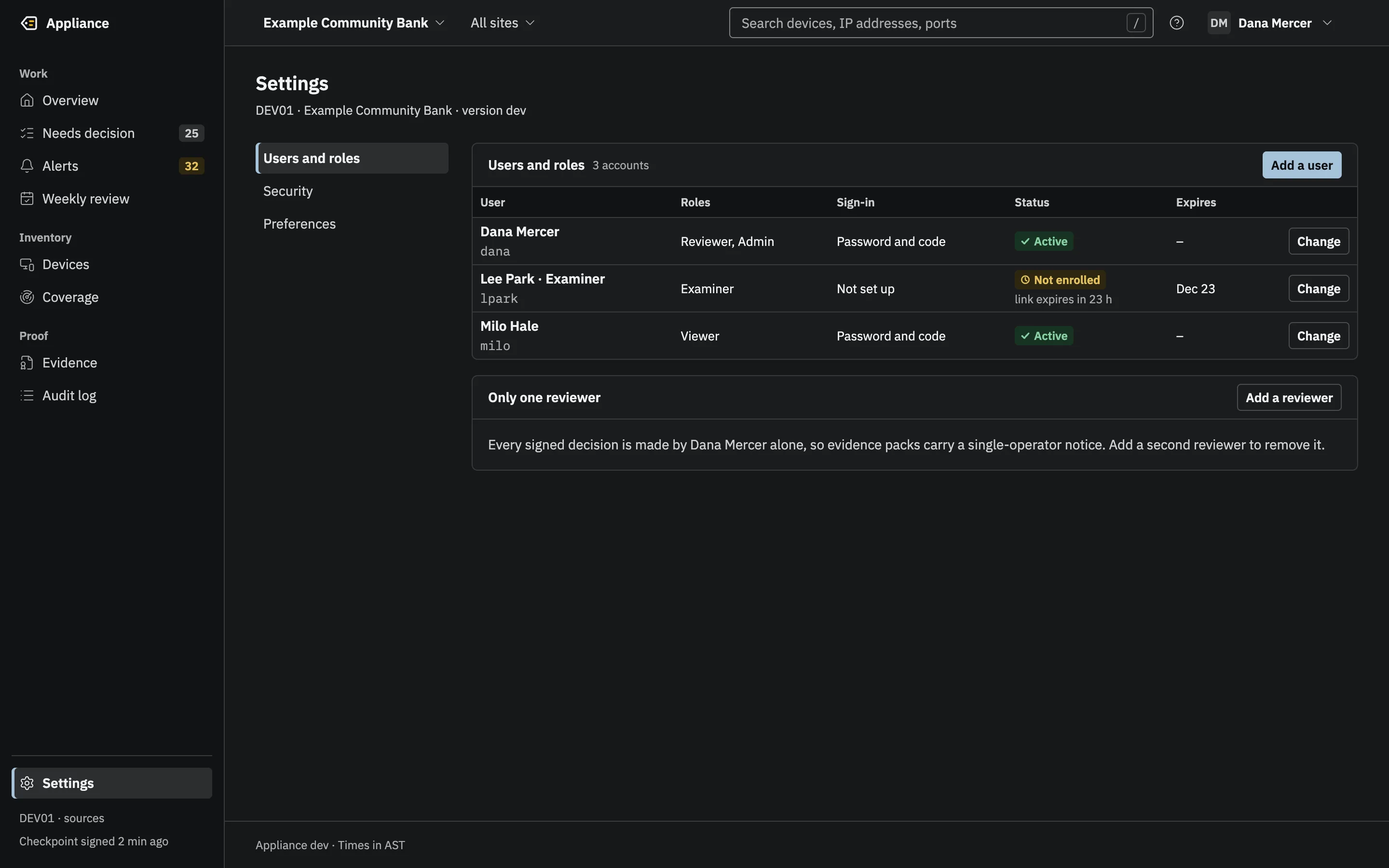
The person who configures the appliance is not the person who signs decisions. When one person holds both roles, every sign-off and pack says so.
- Viewer
- Sees devices, alerts, coverage, evidence and the audit log. Cannot export.
- Reviewer
- Approves, refuses and mutes devices and signs the weekly review, each with an authenticator code.
- Admin
- Configures sources, users, integrations and policy. Can exclude a device. Does not sign decisions unless also a Reviewer, which every pack discloses.
- Examiner
- Read-only, plus exports and the list of integrations, so an examiner sees everything that leaves the box.
- Break-glass
- Emergency user management, plus read-only views; every use is logged.
- Everyone signs in with a username, a password of at least 15 characters (hashed with Argon2id) and a six-digit code from an authenticator app.
- Signed actions need an authenticator code entered in the last five minutes; each code works once.
- Sessions end after 15 minutes idle or 8 hours in total. Failed sign-ins back off, from 2 seconds up to 15 minutes.
- Roles are checked on the page and again inside every write transaction. A route without a permission cannot be registered.
- Every sign-in is an entry in the audit log. Failed attempts are recorded too: the first of each burst at once, and the rest as counts in a summary entry every 15 minutes.
Evidence integrity
Every claim the appliance makes about your network can be checked without trusting the appliance, your administrator or us.
- Every sign-in, decision and change is an entry in an append-only, hash-chained Merkle log (RFC 6962 and RFC 9162), in canonical JSON (RFC 8785). Polling is recorded as hourly roll-ups plus every change in a source’s poll result.
- A checkpoint of the whole log is signed with an Ed25519 key every 15 minutes when the log has grown, and at every sign-off.
- The log is checked at every start, in a full audit every day, at every pack export, and by the examiner’s verifier.
- A restored, rolled-back or rewritten log produces a permanent discontinuity entry that every later pack prints.
- Evidence packs are signed ZIPs: an in-toto manifest in a DSSE envelope, every file’s SHA-256, the entries and their proofs.
- The verifier fails closed, checks the ZIP container strictly and bounds decompression, so a small file cannot expand into a large one.
- The examiner trusts one value, the key ID on the printed key registration sheet. The by-hand procedure uses only sha256sum, jq and OpenSSL.
appliance verify -trust cc911e1df79b8b7b97229eb8c163c1405b581680af2cb940386f74437c7aa524 pack-edited.zipEVIDENCE PACK VERIFICATIONResult: TAMPEREDReason: inventory.csv has SHA-256 00951cdee49cd0043f6c0b330b264e169f5145a4427582bbd913781b10a6e2b0, manifest says d1a167f91c009a0ede446cb27fd4b7f46653c20f11327be06d0949fdefa65532Verified at: 2026-10-24T09:05:24ZPack fingerprint: 33f9acb1d1132b67e38b5bd0b2c35123f5b2032a84f8a034be6604fc338815f1Signer key ID: cc911e1df79b8b7b97229eb8c163c1405b581680af2cb940386f74437c7aa524Trusted via: trusted key IDChecks: 1. Signing key is trusted (registration sheet or previous pack) PASS key cc911e1df79b8b7b97229eb8c163c1405b581680af2cb940386f74437c7aa524, trusted via trusted key ID 2. Manifest signature (DSSE, Ed25519) is valid PASS Ed25519 signature over the manifest is valid 3. Every file matches its SHA-256 in the manifest FAIL inventory.csv has SHA-256 00951cdee49cd0043f6c0b330b264e169f5145a4427582bbd913781b10a6e2b0, manifest says d1a167f91c009a0ede446cb27fd4b7f46653c20f11327be06d0949fdefa65532 4. Checkpoint signature is valid and matches the manifest SKIPPED 5. Every entry has a valid inclusion proof to the checkpoint SKIPPED 6. History is consistent with earlier checkpoints SKIPPED 7. Recomputed totals match the manifest counts SKIPPED[exit 4]Supply chain and how we build it.
Know exactly what you are running, and how it was made.
- Build
- Go with CGO disabled and -trimpath. One static binary for seven targets: macOS (Apple silicon, Intel), Linux (x86-64, ARM64, ARMv7) and Windows (x86-64, ARM64).
- Reproducible
- The release build compiles every platform twice and compares the results before writing checksums.
- Checksums
- A SHA256SUMS file for every build. Check it before you run anything.
- SBOM
- One CycloneDX SBOM per binary in every release build. Today’s development builds ship with SHA256SUMS only.
- Dependencies
- Ten direct dependencies, including gosnmp, a pure-Go SQLite and the Go project’s own crypto, net, sys and text modules. All web assets are vendored; no CDN.
- Cryptography
- Builds select Go’s FIPS 140-3 cryptographic module (GOFIPS140=v1.0.0), and every evidence pack records whether FIPS mode was on. This is not a FIPS validation of the product.
- Checks before every merge
- Lint and vet for macOS, Linux and Windows, race-detector tests, govulncheck, per-package coverage floors and cross builds. Parsers of untrusted input have fuzz targets.
- Review
- Every feature had its own code and security review before merging, separate from the work that built it. It is not a third-party audit: see What we have not done yet. Remaining gaps are written down in the design documents.
What we have not done yet.
Stated plainly, so nobody has to find it out later.
- No third-party penetration test yet.
- No SOC 2 report and no ISO 27001 certification.
- Not FIPS validated. Builds use Go’s FIPS 140-3 module mode; that is not a validation of the product.
- Builds are not code-signed yet, so macOS warns before running one.
- The evidence signing key is protected by file permissions today. Sealing it in a TPM is planned.
- Integrations were tested against local stand-ins, not vendor sandboxes.
- Signed updates, backups with restore testing, and single sign-on are planned, not built.
- No Windows service or systemd unit ships yet: run the program under your own service manager, or it stops when the session that started it ends.
Why list this
A bank’s vendor review will ask. Each item above is also written down, with the details, in the product’s own design documents and in the technical pages of these docs.
Questions buyers ask.
Can GigID Labs see our devices?
No. The appliance has no connection to us of any kind: no telemetry, no license check, no update check. It refuses any destination under gigidlabs.com.
Does it need internet access?
No. It needs to reach your switches and firewalls on UDP 161 and to be reached by your browsers over HTTPS. Integrations you add, such as a cloud SIEM, need whatever access you give them.
Can it change a switch configuration?
No. The SNMP client can only read, and a test enforces that. Alerts print the command a person would run; the appliance never sends it.
Do we install agents on our computers?
No. It reads the tables your switches and firewalls already keep.
Is it FFIEC or NCUA compliant?
No product is “compliant” on its own, and nobody approves tools in that way. The appliance is designed to produce the device-inventory and change evidence examiners ask for, and maps to CIS Controls v8.1 safeguards 1.1, 1.2 and 1.5 (1.3 is not claimed). Safeguard 1.1 also needs an owner for each approved device; owner editing is in development, so 1.1 shows the gap until then. Each pack prints the frameworks its controls view refers to: CIS Controls v8.1, NIST CSF 2.0, and 12 CFR 30 App. B, 364 App. B and 748 App. A.
What happens if someone edits the database?
They can change rows, but they cannot sign. The edit breaks the hash chain and every checkpoint after it, and it is caught at the next start, by the daily audit, at the next export, or by the examiner’s verifier.
What if the appliance is switched off for a day?
That day shows as not monitored, for every source, in the product and in every pack that covers it. It never shows as a clean day.
Where are our credentials stored?
On the appliance, sealed with AES-256-GCM, in files only the appliance’s account can read. They never appear in pages, logs, exports or payloads.
Report a vulnerability
Our vulnerability disclosure policy: what is in scope, how to report, what we commit to, and the protection we give researchers who act in good faith.
Scope
In scope:
- This website, gigidlabs.com, including its contact form.
- The appliance software, including its offline verifier, and the evidence formats these docs publish. If you can make a tampered evidence pack pass verification, that is a vulnerability.
Out of scope: denial-of-service and load testing, spam, social engineering, physical attacks, third-party services we use (such as Cloudflare and its Turnstile check), and any network or system that belongs to our customers. Test the appliance on your own installation, for example with its simulated switches (appliance dev). The appliance never contacts GigID Labs, so there is no GigID Labs service behind it to test.
How to report
Use the contact form with the security topic. It is the page that security.txt (RFC 9116) names, and the founders read every report. If the details are sensitive, send a short first message and we will agree with you how to share the rest.
What to include
- What you found, where, and what an attacker could do with it.
- Steps to reproduce it, or a proof of concept.
- The page or address affected, or for the appliance, the output of
appliance versionand the platform. - How to reach you, and whether and how you would like to be credited.
Please leave out real customer data, captures from a production network and credentials.
What we commit to
- We acknowledge your report within 3 business days.
- We give you a status update, with our assessment, within 10 business days, and keep you informed until it is fixed.
- We agree the timing of any public disclosure with you, and credit you if you wish.
Safe harbor
If you make a good-faith effort to follow this policy, we consider your research authorized, we will not take or support legal action against you for it, and we will work with you to understand and fix the problem. Good faith means that you:
- stay within the scope above;
- avoid privacy violations, and do not access, change or delete data that is not yours beyond what you need to show the problem;
- do not disrupt or degrade our services or anyone else’s;
- stop and tell us as soon as you have found a problem, and do not use it further;
- give us reasonable time to fix it before you disclose it publicly.
If you are unsure whether something is in scope or allowed, ask us first through the same form.
No bug bounty
We do not run a bug bounty and do not pay for reports. We are glad to credit you.
Early access: now taking pilot customers.
Ask us anything a security review would.
We will answer in writing, and point to the code or the document behind each answer.