What it adds

Three things your clients will notice.

  • A service you can sell. Device control and exam evidence for each client, run from the tools you already use.
  • Less noise, fewer truck rolls. One ticket per device per destination, filters per destination, alerts that name the port and why they matter, and faults that name the failing step, an error code and the fix before anything is saved.
  • Easier exams for your banking clients. Their staff sign the decisions while your technicians stay in the Admin role. The separation of duties is on the record, and the examiner verifies the pack offline.

Deployment

Small enough for a branch closet, separate for every client.

One appliance serves one organization.

Each client gets its own appliance, its own signing key and its own log, and every pack names that appliance’s serial. The client’s name is on every screen and on the key registration sheet, and in the new interface every sign dialog names it too.

It runs on a VM on the client’s hypervisor, a spare server or a mini PC, with nothing else installed, and needs no inbound access from the internet. The appliance never connects to us, so there is no vendor cloud in your client’s data flow.
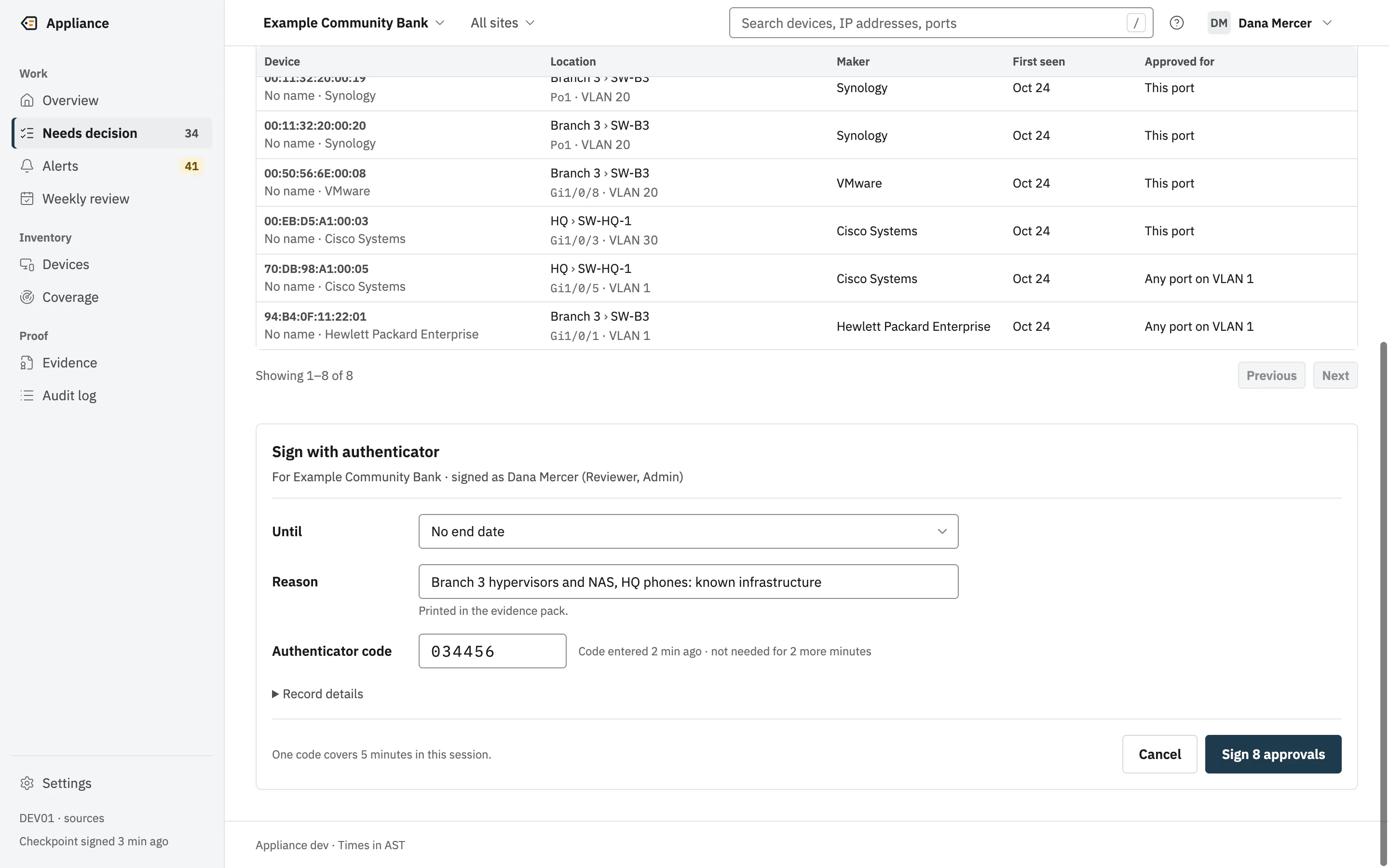
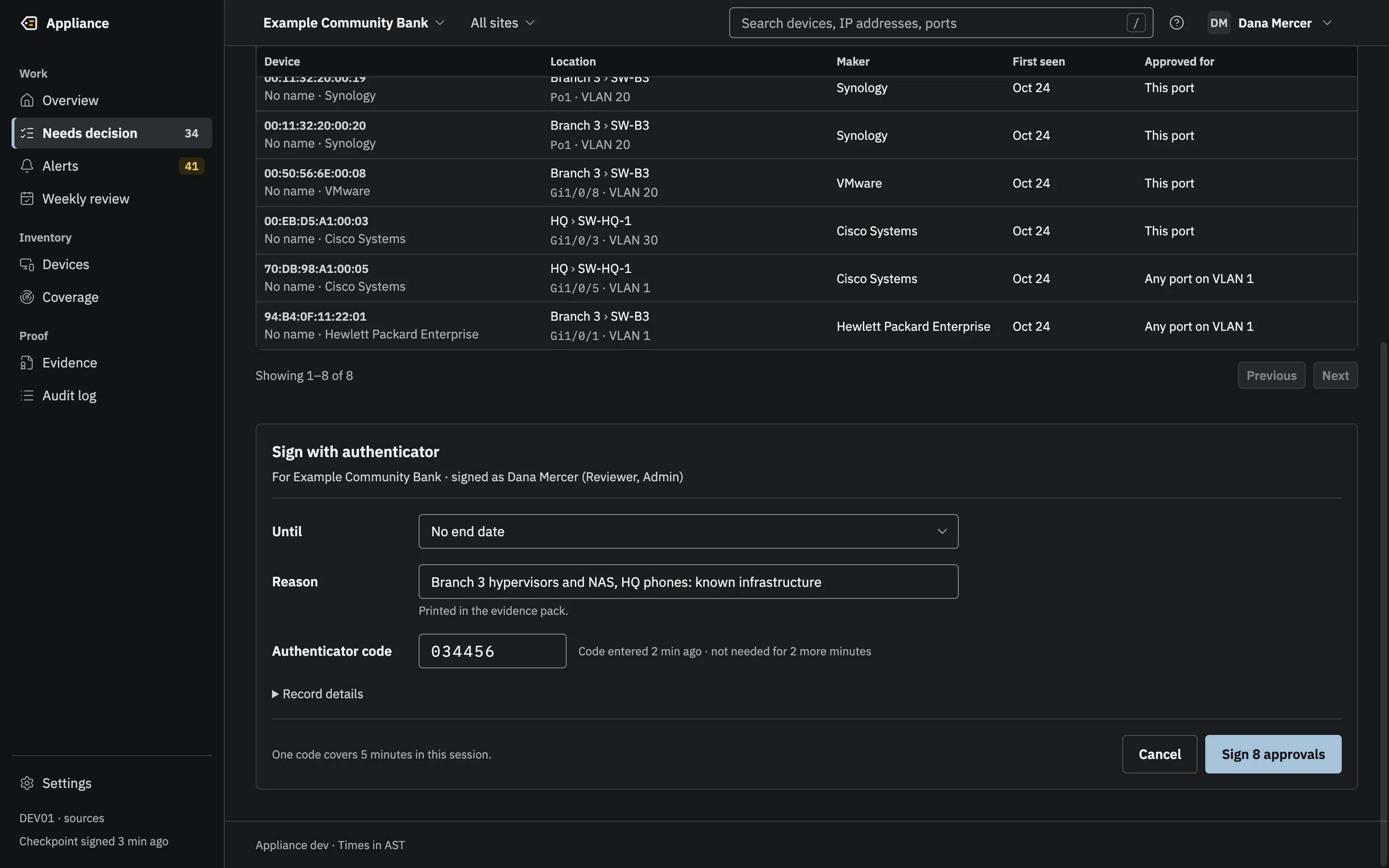
The Sign with authenticator dialog for Example Community Bank, signed as Dana Mercer, with an Until field, a reason, the authenticator code and a Sign 8 approvals button.(opens the full-size image)The Sign with authenticator dialog for Example Community Bank, signed as Dana Mercer, with an Until field, a reason, the authenticator code and a Sign 8 approvals button.(opens the full-size image)
One authenticator code signs the batch. Each device still gets its own signed decision, and one batch entry binds them.

Faults that say what is wrong, and what to do.

Adding a switch runs a three-step live test: reach the device on UDP 161, sign a request as the SNMPv3 user, read the tables. A failure names the step, a stable error code and the fix, before anything is saved.

Every error has a help page served by the appliance itself, which works before sign-in and without internet access. Quote the reference on the fault card, and the details are in the appliance’s log.

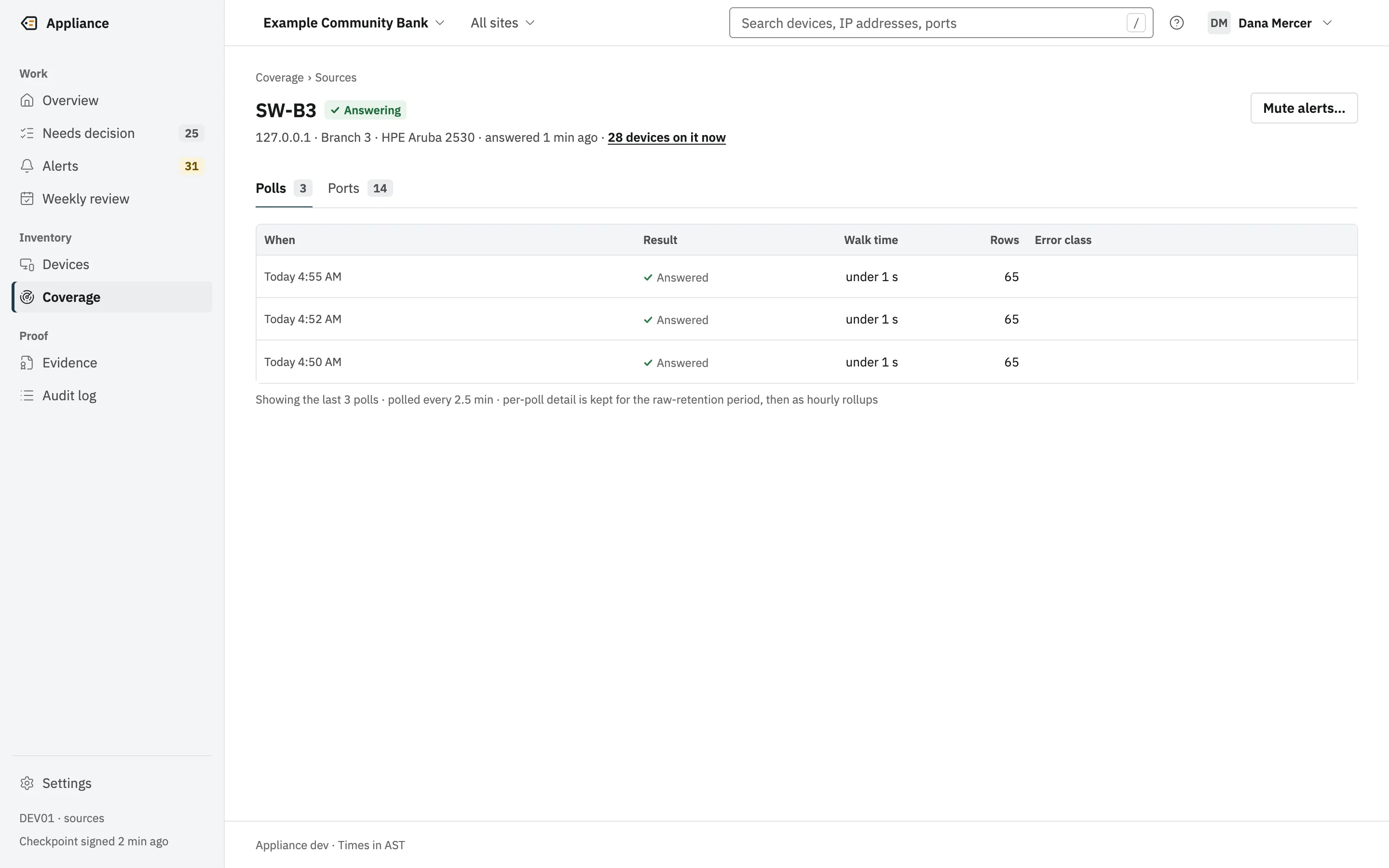
The poll history for one switch: each poll’s result, walk time and row count.(opens the full-size image)
Every poll is recorded, so any gap can be explained.

Your stack

Tickets in your PSA. The log in your SIEM.

One ticket per device per destination, ever, and a SIEM that was down receives every entry it missed, in order. Pages go to PagerDuty, notifications to your NMS over SNMPv3, and each destination can be filtered by site, switch, subnet or vendor. The setup screen is in development; destinations are added through the appliance’s API today.

SIEM and logs

Alerts and the whole evidence log, in order. A SIEM that was down gets what it missed.

  • SplunkHTTP Event Collector
  • Microsoft SentinelLogs Ingestion API
  • SyslogRFC 5424, CEF, LEEF 2.0 over TLS

Chat

Alerts where your team already talks.

  • Microsoft TeamsWorkflows, Adaptive Cards
  • SlackBlock Kit messages

Ticketing and PSA

One ticket per device per destination. A retry finds the ticket it already opened.

  • ServiceNowTickets
  • ConnectWisePSA tickets
  • AutotaskPSA tickets
  • HaloPSATickets

Email, paging, SNMP and webhooks

Your own mail relay, PagerDuty pages that resolve when the alert does, SNMPv3 notifications your NMS acknowledges, or a signed webhook to anything else.

  • EmailYour relay, STARTTLS required
  • PagerDutyTrigger and resolve
  • SNMPInforms or traps to your NMS
  • WebhookSigned request

Product names are trademarks of their owners. Listing them does not mean a partnership or an endorsement.

Automation

Exit codes your RMM already understands.

appliance segments
Exit 9 when there is a blind spot no source sees.
appliance metrics -fail-on-miss
Exit 9 when a client missed a policy target.
appliance audit
Exit 8 when the log has a problem, named by entry.
appliance export
Seven lists as formula-safe CSV or NDJSON, with the SHA-256.
appliance dev
The real appliance on simulated switches, for demos to prospects.
appliance metrics -data-dir /var/lib/appliance -preset qtd -fail-on-miss# exit 9: a target was missed this quarterappliance tripwires -data-dir /var/lib/appliance -since 24h -json# yesterday's trips, for your SIEM or a ticket
Command-line usage from the appliance’s reference. Every mode is read-only and safe beside a running appliance.

Running many appliances today.

Each appliance has its own address, users and authenticator sign-ups. There is no central console yet, so 40 clients means 40 web interfaces.

Your RMM can run the read-only checks on every one and alert on the exit codes: appliance audit, appliance metrics -fail-on-miss and appliance segments.

Updates are by hand: download the new build, check it against SHA256SUMS, replace the program and start it again under your own service manager (Windows service and systemd packaging are planned). Nothing updates on its own, and the appliance never checks for updates. The database moves forward to the new version on start, and an older build refuses a newer database. Signed offline updates are planned. A hosted console for many appliances is launching soon; the on-prem appliance stays the core and keeps working on its own.

Does it work with my switches and firewalls?

It reads switches and firewalls over SNMPv3 using the standard MIBs most managed gear serves: BRIDGE-MIB and Q-BRIDGE-MIB for MAC tables, IP-MIB for ARP, and LLDP and Cisco CDP for neighbors. It is tested against a simulator; real-gear verification is under way. Send us your switch and firewall models and we will tell you what we know.

For your clients

Evidence your clients can hand to their examiner.

Your banking and credit union clients get signed decisions, a signed weekly review and evidence packs their examiner verifies offline. Your other clients get plain-English alerts about every device nobody approved, and a record of who decided.

Roles keep the work separate: your technicians can configure the appliance as Admin while the client’s own staff sign decisions as Reviewer. Every signed entry records the roles held at the time.

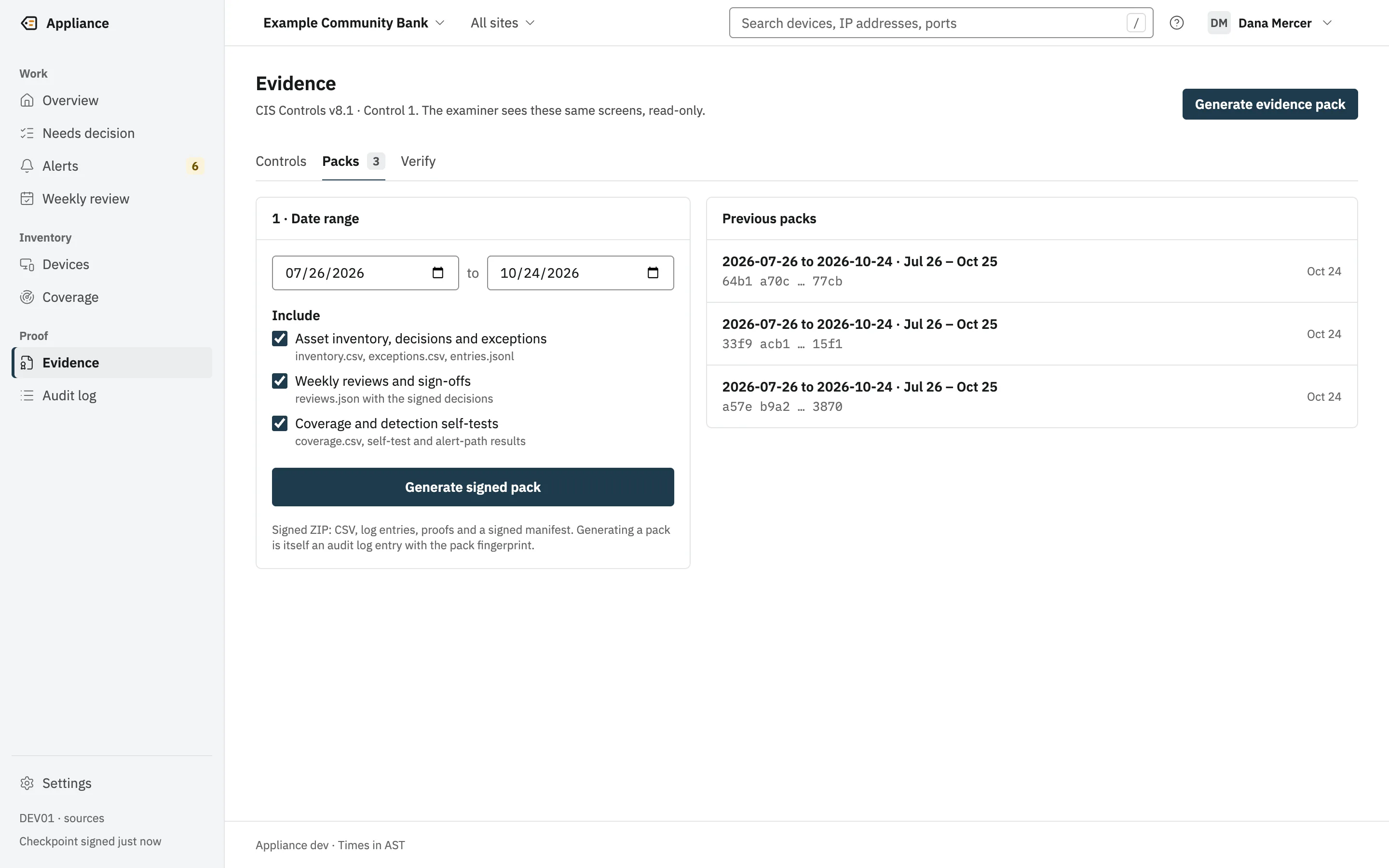
The evidence pack screen: a date range, what to include, a Generate signed pack button, and earlier packs with their fingerprints.(opens the full-size image)The evidence pack screen: a date range, what to include, a Generate signed pack button, and earlier packs with their fingerprints.(opens the full-size image)
A signed ZIP for any date range. Generating it is itself logged.

Launching soon

For MSPs with many sites.

The on-prem appliance stays the core and keeps working on its own.

  • Launching soon

    A hosted console

    A hosted console for MSPs and multi-site organizations that manage many appliances. The on-prem appliance stays the core.

  • Launching soon

    Marketplace

    Listings so customers and MSPs can buy and deploy through the marketplaces they already use, with integration listings alongside.

What MSPs ask us first.

Cost

No extra hardware to stock and no per-endpoint agents: it runs on a VM or a spare server at the client. Prices are not on this site yet; ask us, and we will answer in writing.

Updates

Today you download the new build, check its checksum, replace one program and start it again under your own service manager (Windows service and systemd packaging are planned). It never updates itself and never checks for updates. Signed offline updates are planned.

Safety on client networks

Read-only to the network, no inbound internet access, no connection to us, and it never sends your data to an AI service. Every destination is one you add, and each is checked again before every connection.

Who we are

Engineers first, each with more than 20 years in the field. We are in early access and taking pilot customers now. More about us

Also for

  • Banks and credit unions

    Exam evidence for device inventory, ready any day.

    • Signed weekly reviews
    • Evidence packs verified offline
    • A signed quarterly board report
  • Small and mid-size businesses

    Know every device on your network without a security team.

    • Runs on hardware you already have
    • Plain-English alerts
    • No agents on your computers

Early access: now taking pilot customers.

Bring a client scenario to the demo.

Tell us which PSA, SIEM and RMM you run, and how many client sites you would start with.