The short version

Read, decide, sign, verify. Arrows point into the appliance from your network; nothing points out to us.

From switch to examinerSwitches and a firewall are read over SNMPv3 into the appliance, which signs every change into its log; an evidence pack goes to an examiner who verifies it offline. No connection to GigID Labs.GigID Labsno connection, everNothing goes to GigID Labs: no telemetry, no license checkYour network · on-premSW-HQ-01Switch: MAC tableSW-B3Switch: MAC tableFW-01Firewall: ARP tableLocal scanoptional, you start itno probes, no loginsSNMPv3 GET · read-only · every 150 sArrows point in only. It never writes to a switch.GigID Labs Applianceon your hardwareInventoryevery device, exact portDecisionssigned by a personCoveragewhere it was lookingAudit logappend-only Merkle tree#1,201poll_run#1,202alert_raised#1,203decision#1,204batch_signedCheckpoint signedtree size 1,205Evidence packsigned ZIPyousend itExamineroffline, own computerRegistered keySignatureFile digestsCheckpointEntries in logHistoryTotalsResult: PASSFrom switch to examinerSwitches and a firewall are read over SNMPv3 into the appliance, which signs every change into its log; an evidence pack goes to an examiner who verifies it offline. No connection to GigID Labs.GigID Labsno connection, everYour network · on-premSW-HQ-01MAC tableSW-B3MAC tableFW-01ARP tableSNMPv3 GET · read-only · every 150 sGigID Labs Applianceon your hardware · plus an optional local scanInventoryevery device, exact portDecisionssigned by a personCoveragewhere it was lookingAudit logappend-only Merkle tree201poll_run202alert_raised203decision204batch_signedCheckpoint signedsize 1,205Evidence packsigned ZIP, any date rangeyou send itExamineroffline, own computerRegistered keySignatureFile digestsCheckpointEntries in logHistoryTotalsResult: PASS
From switch to examiner. Sources are only read. Every change is a signed log entry. The evidence pack leaves only when you send it, and nothing goes to GigID Labs.
What this shows

Inside your network, two switches (SW-HQ-01 and SW-B3) and a firewall (FW-01) are read by the GigID Labs Appliance over SNMPv3, read-only, every 150 seconds; the arrows point into the appliance only. An optional local scan, which a person starts, adds what the attached subnet shows, with no port probes and no credentials. The appliance keeps the device inventory with each device's exact port, the decisions people sign, and a record of where it was and was not looking. Every change becomes an entry in an append-only Merkle log (entries 1,201 to 1,204: a poll, an alert, a decision and a bulk sign-off), and a checkpoint of the log is signed with the appliance's Ed25519 key. An evidence pack, a signed ZIP for any date range, leaves the network only when you send it. The examiner checks it offline on their own computer: registered key, signature, file digests, checkpoint, entries in the log, history and totals, ending in PASS. GigID Labs sits outside your network with no connection to the appliance.

Step by step

What happens between a cable and a signed pack.

1 · Read

It reads the tables your switches already keep.

Every 150 seconds by default, the appliance reads each switch’s MAC address table and each firewall’s ARP table over SNMPv3. It reads ports, link aggregation and LLDP and CDP neighbors too. It uses GET, GETNEXT and GETBULK only: the client has no way to write.

Credentials default to SHA-256 and AES-128. MD5, DES and no-auth are refused. Every read is capped in rows, bytes and time. Every poll is stored with a hash of what it read, summarized in an hourly log entry, and logged at once when its result changes.
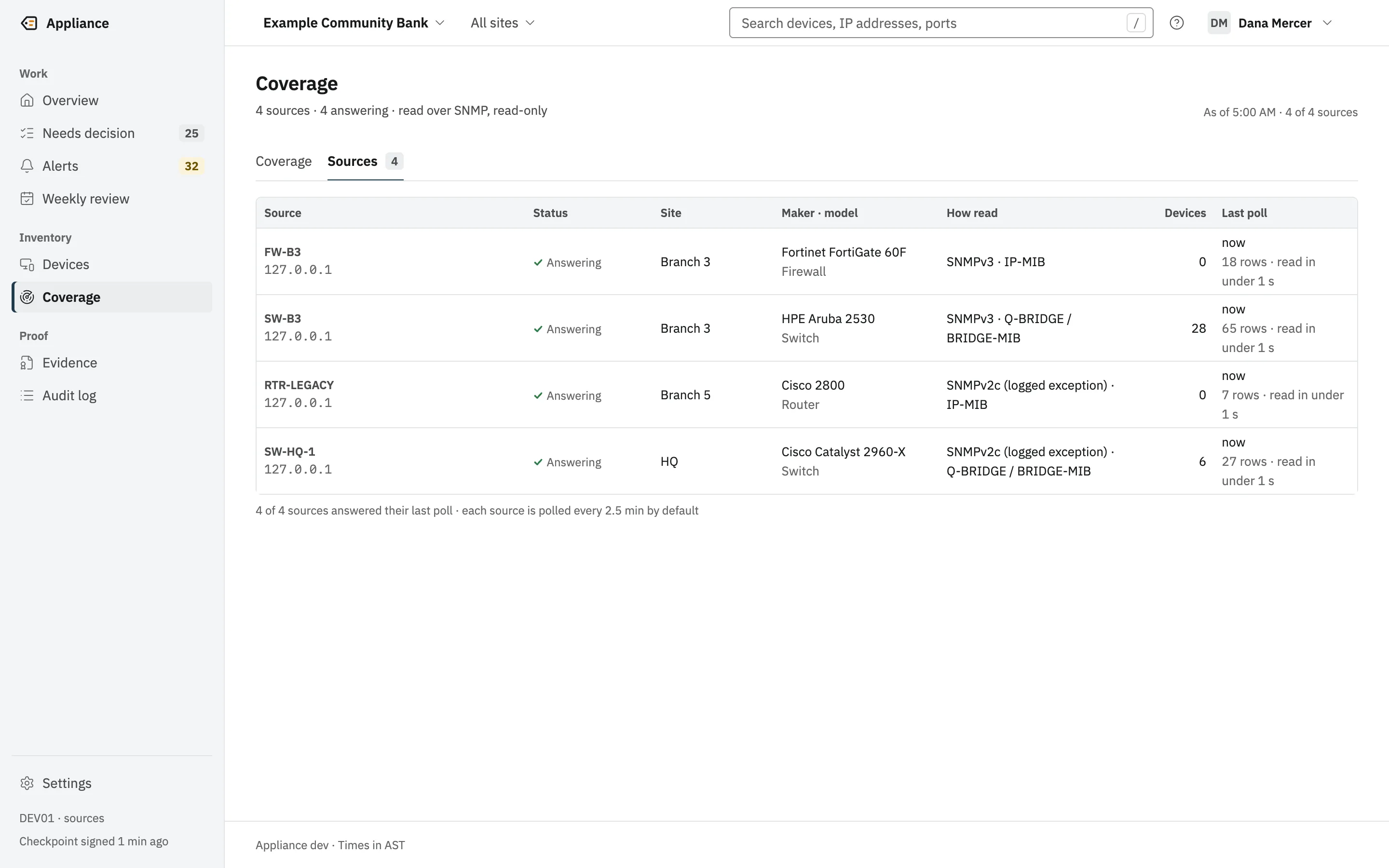
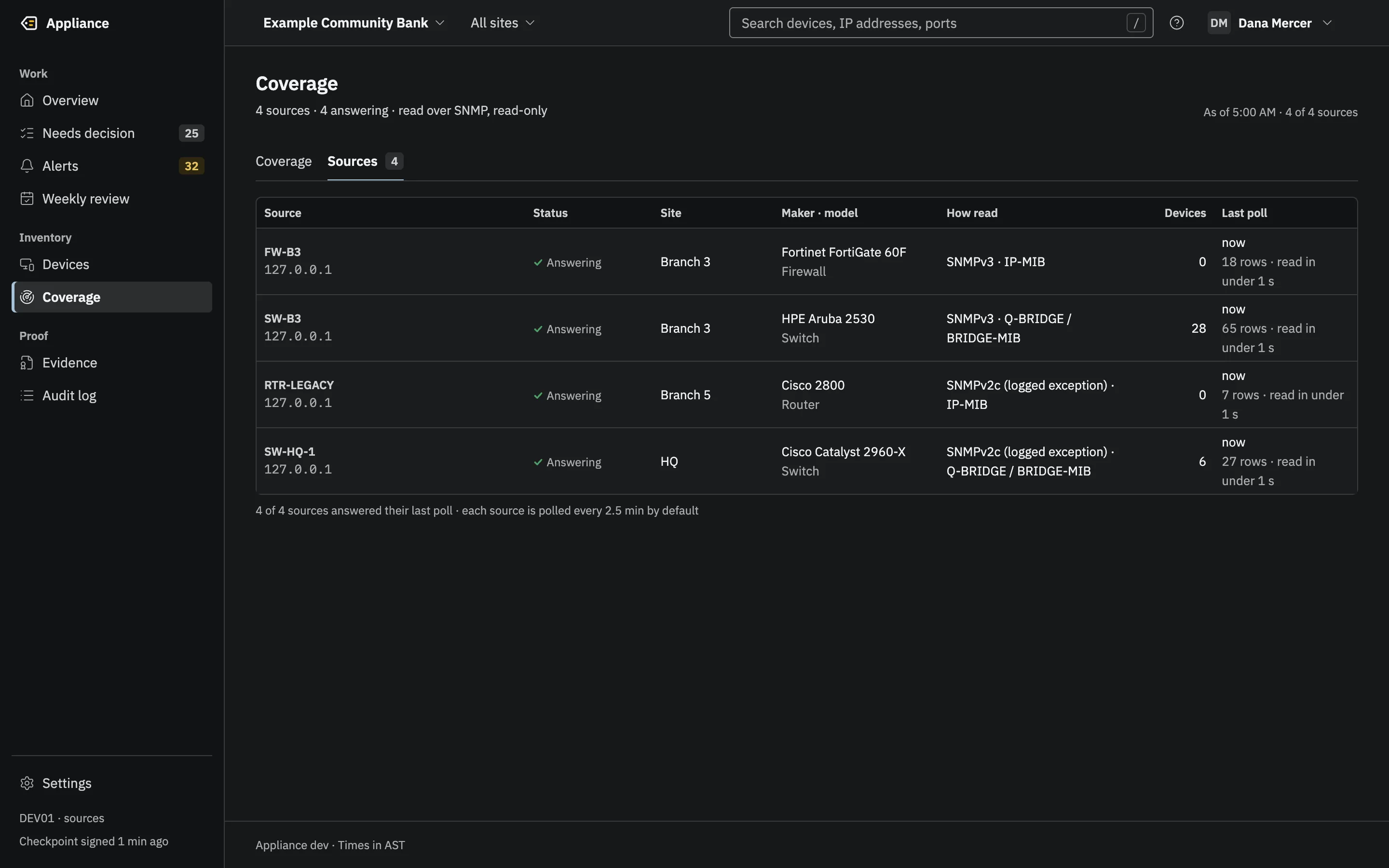
The Sources list: four switches and firewalls with status, site, maker and model, how each is read, device count and last poll. SNMPv2c is labeled a logged exception.(opens the full-size image)The Sources list: four switches and firewalls with status, site, maker and model, how each is read, device count and last poll. SNMPv2c is labeled a logged exception.(opens the full-size image)
Read-only SNMPv3. Anything weaker is labeled a logged exception.

2 · Place

Each device is placed on its port, or marked as not placed.

The inventory engine turns each poll into devices, presence and alerts. Ports are classed as desk, uplink, phone, access point or hypervisor. A device seen only on an uplink is “not placed”, never guessed.

Every change is written in one database transaction together with the log entry that explains it. Nothing changes state without its entry.

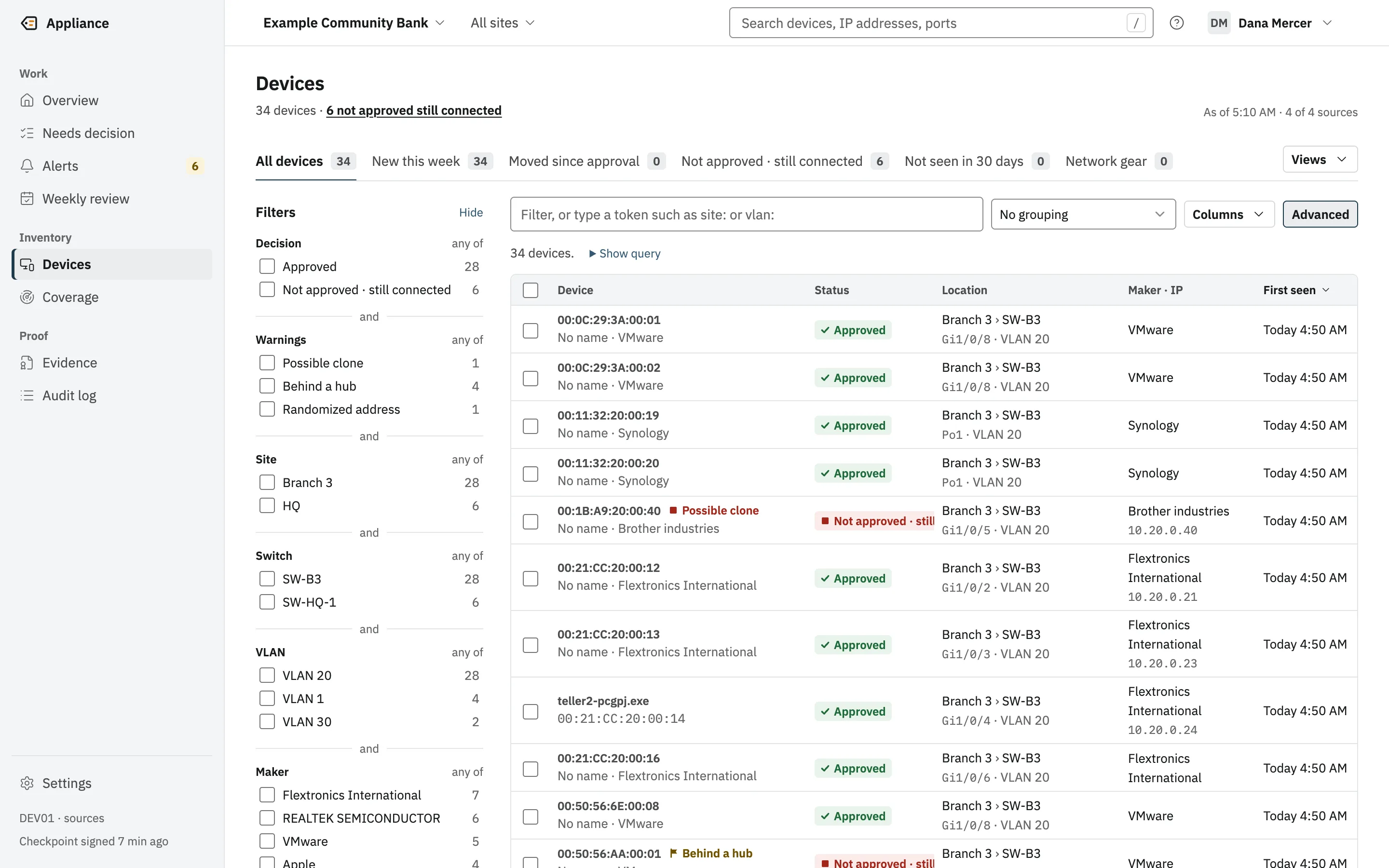
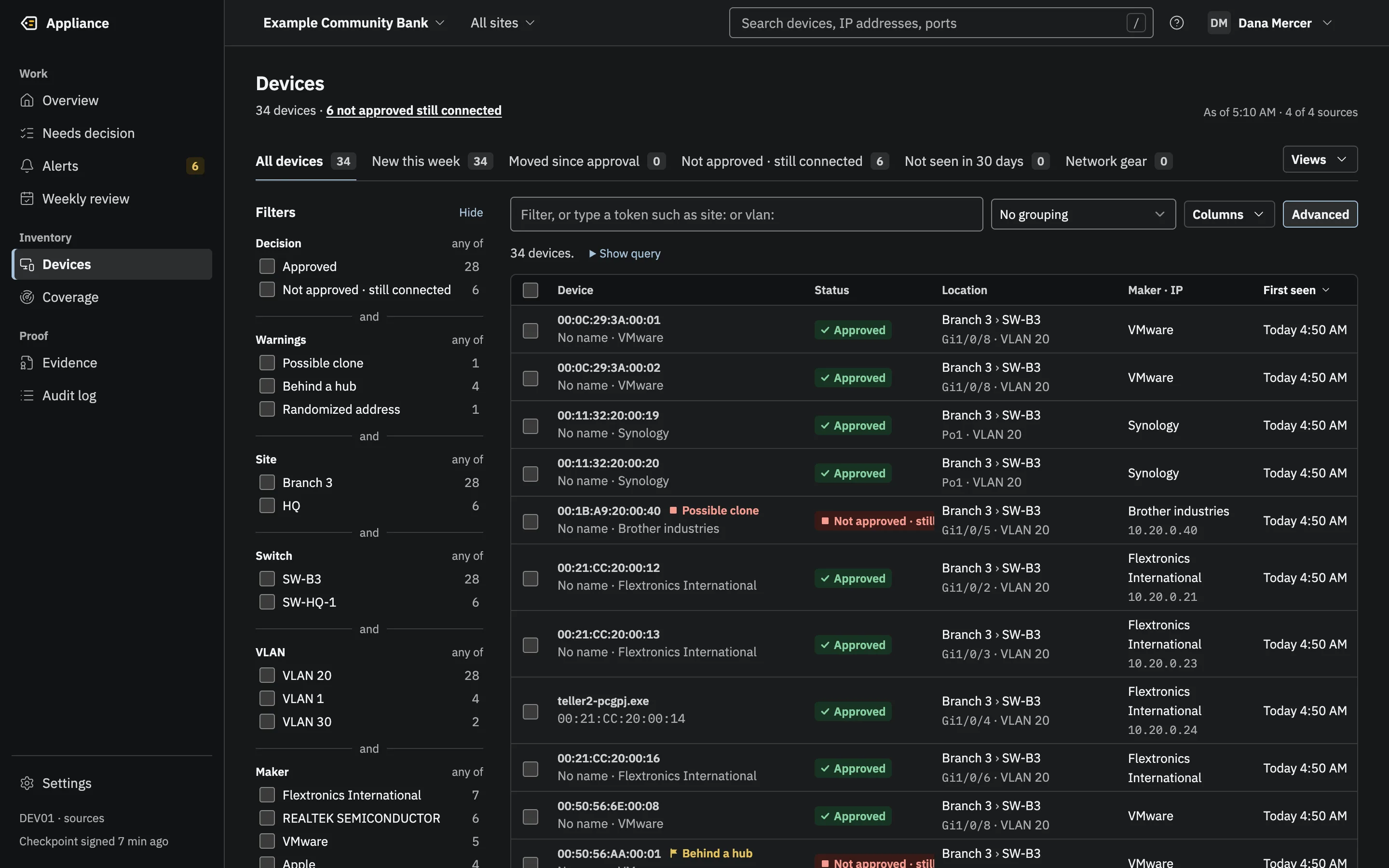
The Devices list: 34 devices with status, location as site, switch, port and VLAN, maker, IP address and first seen.(opens the full-size image)The Devices list: 34 devices with status, location as site, switch, port and VLAN, maker, IP address and first seen.(opens the full-size image)
Every device, with the switch port and VLAN where it is plugged in.

3 · Decide

A person decides, and signs.

Every device nobody approved raises an alert and waits in one queue. A Reviewer approves it, marks it not approved, or mutes its alerts, with a reason and an authenticator code. Up to 1,000 devices can be signed at once; each still gets its own entry.

The person who configures the appliance is not the person who signs. When one person does both, every pack says so.

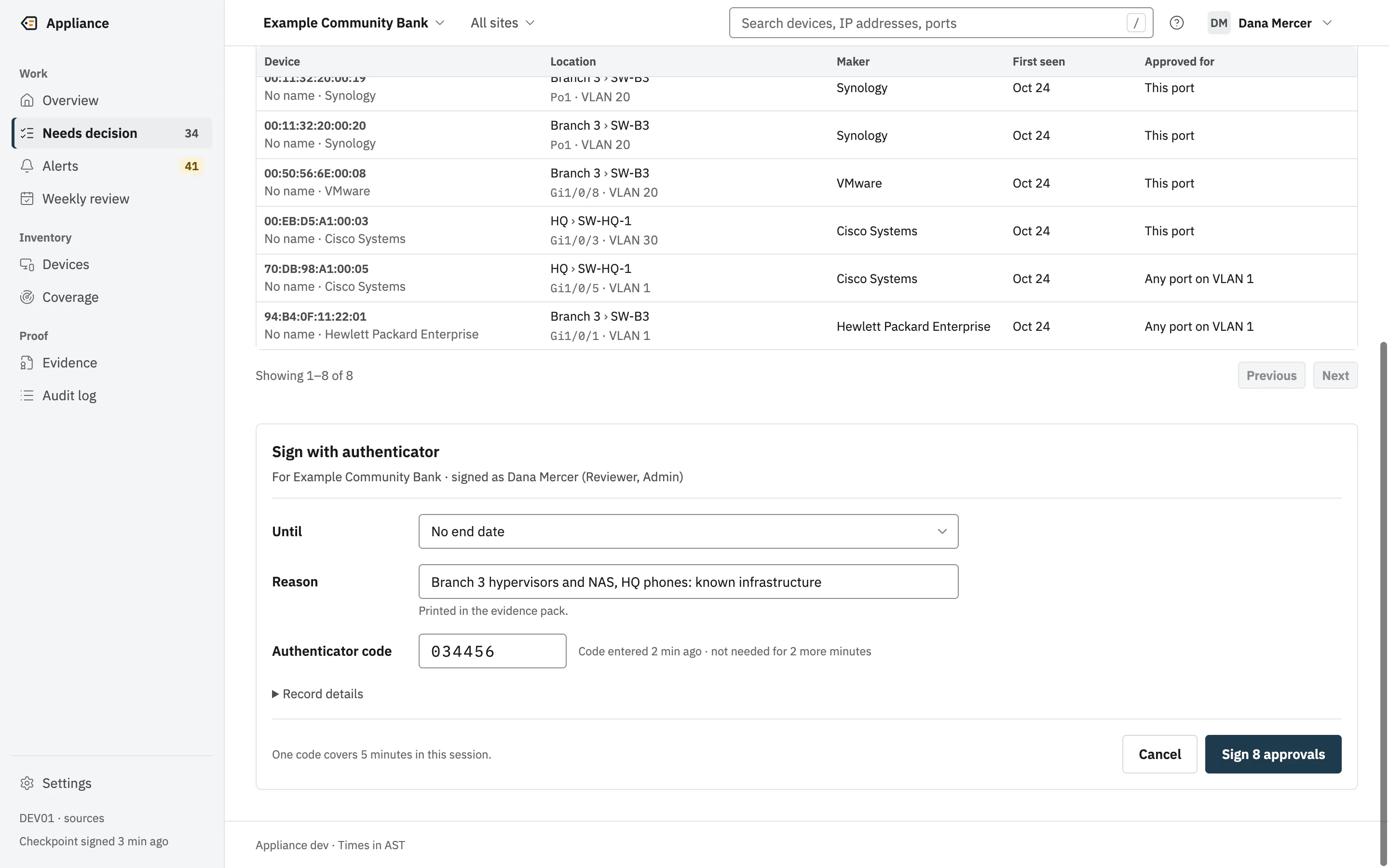
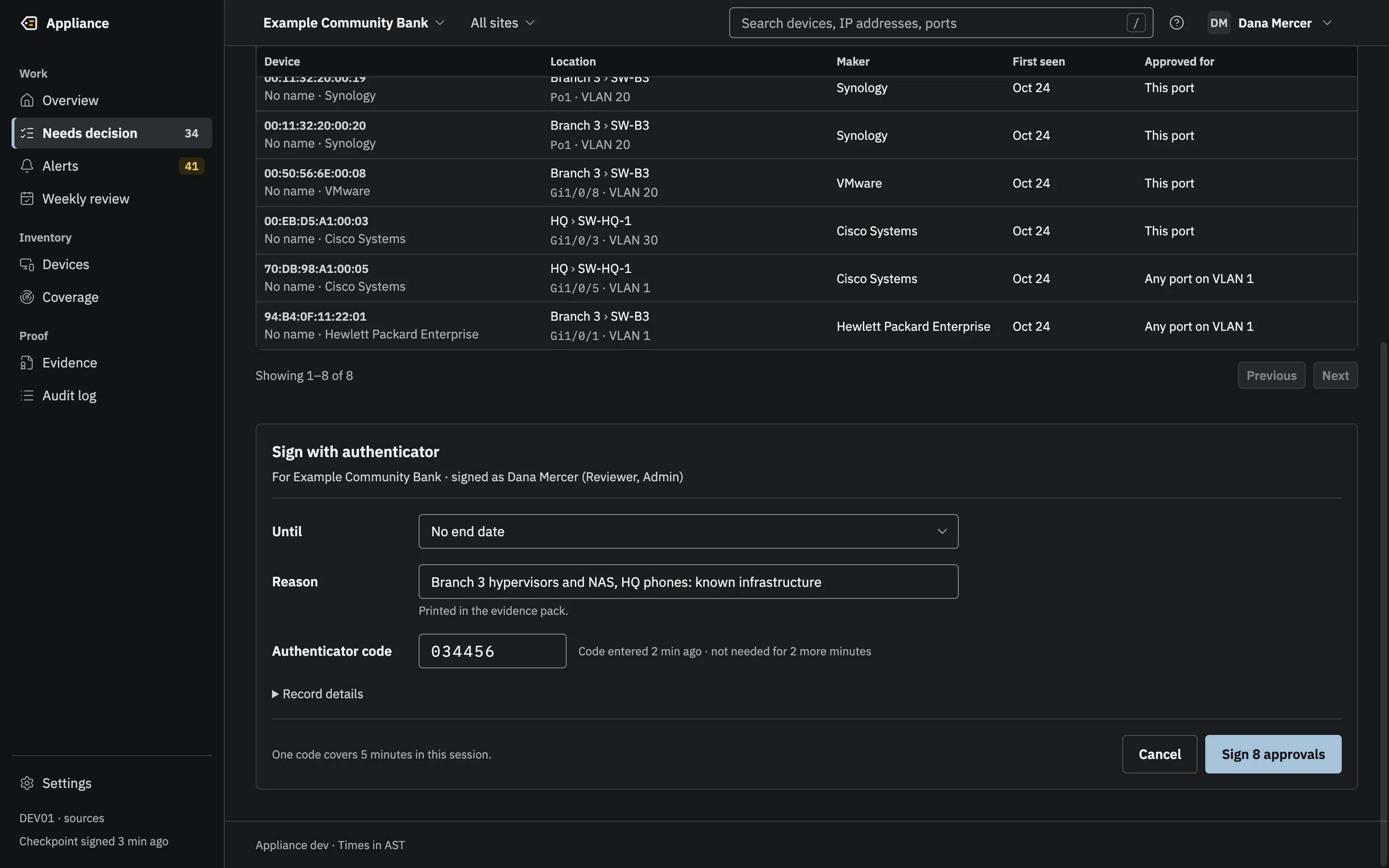
The Sign with authenticator dialog for Example Community Bank, signed as Dana Mercer, with an Until field, a reason, the authenticator code and a Sign 8 approvals button.(opens the full-size image)The Sign with authenticator dialog for Example Community Bank, signed as Dana Mercer, with an Until field, a reason, the authenticator code and a Sign 8 approvals button.(opens the full-size image)
One authenticator code signs the batch. Each device still gets its own signed decision, and one batch entry binds them.

4 · Record

Everything goes into a log that cannot be quietly rewritten.

Sign-ins, decisions, configuration changes and exports are entries in an append-only Merkle log, and polling is recorded as hourly roll-ups plus every change in a poll’s result. Every 15 minutes when the log has grown, and at every sign-off, the appliance signs a checkpoint of the whole log with its Ed25519 key.

The log is checked at every start, in a full audit every day, at every export, and by the examiner.

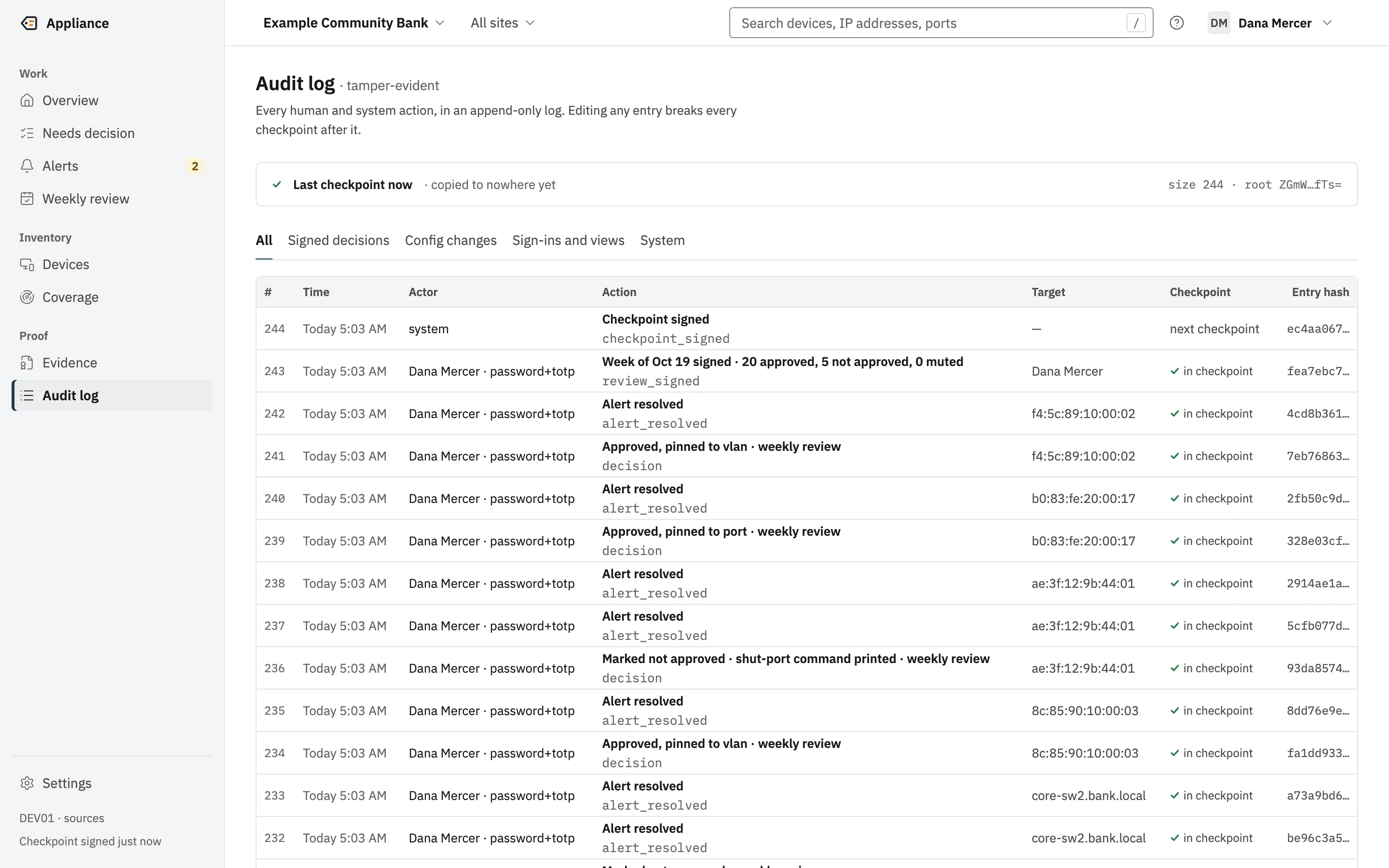
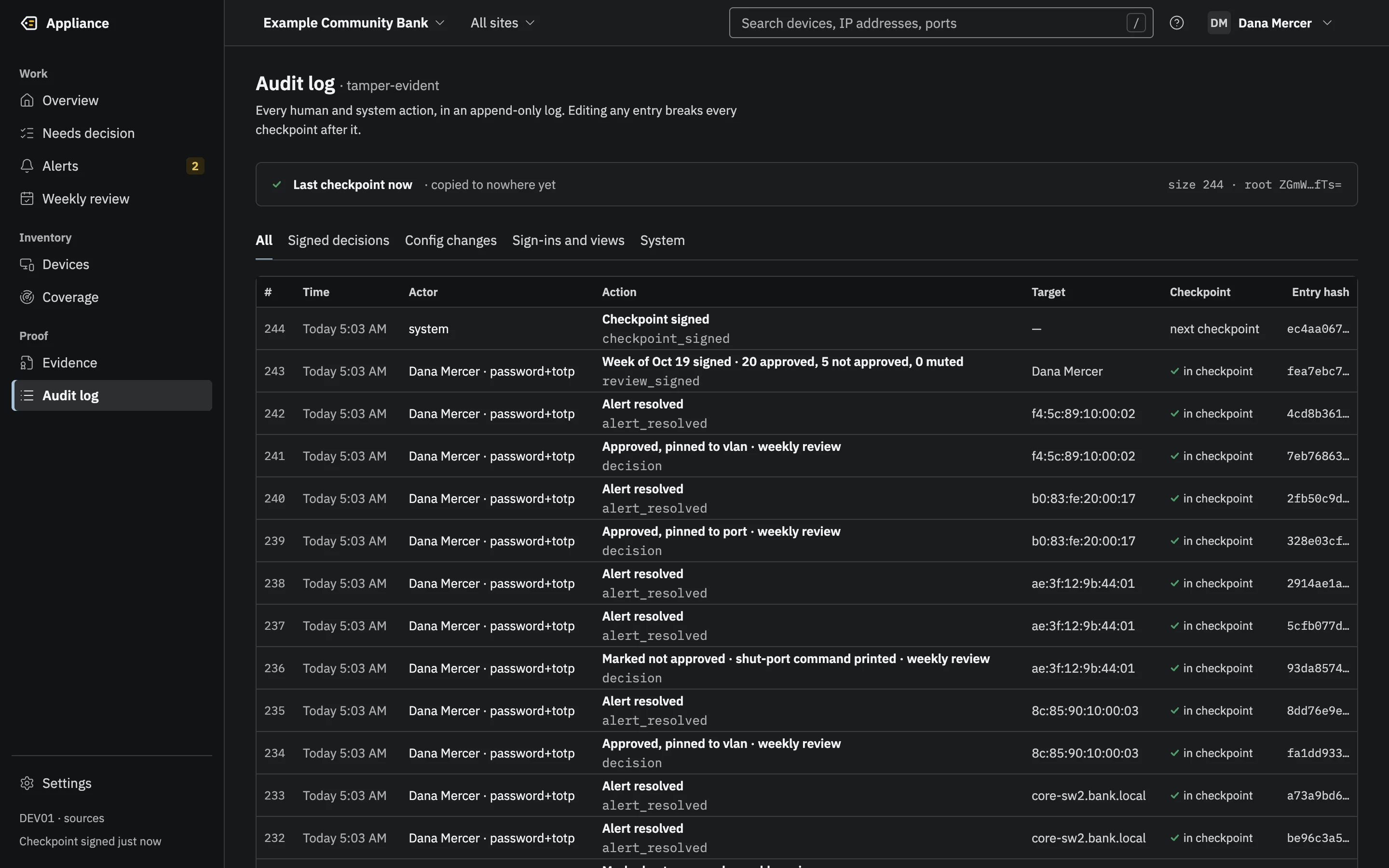
The audit log: the last signed checkpoint with its size and root, and entries with number, time, actor and sign-in method, action, target, checkpoint and entry hash.(opens the full-size image)The audit log: the last signed checkpoint with its size and root, and entries with number, time, actor and sign-in method, action, target, checkpoint and entry hash.(opens the full-size image)
Every human and system action in an append-only log, checkpointed and signed.

5 · Prove

The examiner checks the evidence without trusting anyone.

An evidence pack is a signed ZIP for any date range: the inventory, exceptions, coverage and reviews, every log entry in the range, and the proofs that tie them to a signed checkpoint.

The examiner verifies it on their own computer, trusting only the key ID on the printed key registration sheet. Seven checks, one verdict, no network needed.

appliance verify -trust cc911e1df79b8b7b97229eb8c163c1405b581680af2cb940386f74437c7aa524 pack.zipEVIDENCE PACK VERIFICATIONResult:            PASSVerified at:       2026-10-24T09:05:24ZPack fingerprint:  33f9acb1d1132b67e38b5bd0b2c35123f5b2032a84f8a034be6604fc338815f1Signer key ID:     cc911e1df79b8b7b97229eb8c163c1405b581680af2cb940386f74437c7aa524Trusted via:       trusted key IDAppliance:         DEV01 (version dev)Build digest:      67440c787f3f4a937137e06b54d84cabb5c6ff019e4034733f90e2dd1fd31983Period:            2026-07-26T04:00:00Z to 2026-10-25T04:00:00ZLog:               gigidlabs.com/appliance/DEV01, size 181Log root:          WQHNjvnRAxCGVYqbAizpIt2v6mD60suPkcokNrjkf0M=Entries:           181 (seq 0 to 180, 2026-10-24T08:50:26Z to 2026-10-24T08:57:52Z)Decisions:         9Reviews:           0Exceptions:        1Devices:           approved 8, needs_review 25, not_approved 1Coverage:          100.0% of source-days since install covered (covered 4)Assurance tier:    software_protectedDetection proofs:  coverageCrosswalk:         CIS Controls v8.1 / NIST CSF 2.0 / 12 CFR 30 App. B, 364 App. B, 748 App. A (2026-10)FIPS 140-3 mode:   offAnchored to:       CHECKPOINTS NOT ANCHOREDSeparation:        SINGLE-OPERATOR MODE (one person held Admin and Reviewer)History:           NOT CHECKED against an independent checkpointChecks:  1. Signing key is trusted (registration sheet or previous pack)   PASS     key cc911e1df79b8b7b97229eb8c163c1405b581680af2cb940386f74437c7aa524, trusted via trusted key ID  2. Manifest signature (DSSE, Ed25519) is valid                    PASS     Ed25519 signature over the manifest is valid  3. Every file matches its SHA-256 in the manifest                 PASS     18 files match their manifest digests  4. Checkpoint signature is valid and matches the manifest         PASS     checkpoint for gigidlabs.com/appliance/DEV01 at size 181 is signed by a trusted key  5. Every entry has a valid inclusion proof to the checkpoint      PASS     181 entries (seq 0 to 180) and 9 cited entries are in the signed log  6. History is consistent with earlier checkpoints                 NOT_CHECKED     NOT CHECKED: no independent checkpoint (previous pack, SIEM or email) was supplied; the pack's own consistency proofs from 1 earlier pack checkpoint(s) are valid  7. Recomputed totals match the manifest counts                    PASS     entries, decisions, reviews, exceptions, devices and coverage all match[exit 0]
Real output from the verifier, run on a pack from the test appliance. Scroll for all seven checks.

Trust boundaries

What it trusts, and what it does not.

The appliance sits inside your network. Everything it reads is treated as hostile, and everything it sends goes only where an Admin points it.

Trust boundariesThe appliance inside your network, reached by staff browsers and reading switches read-only; optional outbound connections to your own SIEM, chat, ticketing and email; GigID Labs outside with no connection.GigID Labsno connection, everIts addresses are refused as destinations.Your network · on-premStaff browserHTTPS, password and authenticatorcode; to sign, one under 5 min oldSwitches, firewallsSNMPv3 GET · read-onlyuntrusted: every string cleanedGigID Labs Applianceone program, one data folderWeb interfacestrict CSP, CSRF, Host allowlistSigned logEd25519 checkpoints, every 15 minSealed secretsAES-256-GCM, scrubbed from outputSIEMSplunk, Sentinel, syslogChatTeams, SlackTicketingServiceNow and PSAsEmailthrough your relayYours, if you add themOnly if an Admin adds one.Each address is checked beforeevery connection. Secrets arenever sent.Device strings are untrusted: cleaned, capped andnever believed on their own. Someone who edits thedatabase cannot sign, and the audit catches it.Trust boundariesThe appliance inside your network, reached by staff browsers and reading switches read-only; optional outbound connections to your own SIEM, chat, ticketing and email; GigID Labs outside with no connection.GigID Labsno connection, everYour network · on-premStaff browserHTTPS, password and authenticator codeGigID Labs Applianceone program, one data folderWeb interfacestrict CSP, CSRF, Host allowlistSigned logEd25519 checkpoints, every 15 minSealed secretsAES-256-GCM, scrubbed from outputSwitches, firewallsSNMPv3 GET, read-only; strings cleanedSomeone who edits the database cannotsign, and the audit catches it.Outbound only if an Admin adds itSIEMSplunk, SentinelChatTeams, SlackTicketingServiceNow, PSAsEmailyour relayEach address is checked before every connection.
Trust boundaries. Everything it reads is treated as hostile. It sends only where an Admin points it, and never to GigID Labs.
What this shows

Your network, on-prem, contains the GigID Labs Appliance: one program with one data folder. Staff reach it from a browser over HTTPS, with a password and an authenticator code, and signed actions need an authenticator code entered in the last five minutes. The appliance reads switches and firewalls over SNMPv3 GET, read-only; every string they send is treated as untrusted, cleaned and capped, and a claim never raises trust on its own. Inside, the web interface has a strict Content-Security-Policy, CSRF checks and a Host allowlist; the log is signed with Ed25519 checkpoints every 15 minutes; secrets are sealed with AES-256-GCM and scrubbed from every output. Someone who edits the database cannot sign, and the audit catches the edit. Outside your network are your own destinations, used only if an Admin adds them: a SIEM (Splunk, Microsoft Sentinel or syslog), chat (Teams or Slack), ticketing (ServiceNow and PSAs) and email through your relay. Each address is checked before every connection, and secrets never appear in what is sent. GigID Labs is also outside, with no connection to the appliance at all; its addresses are refused as destinations.

  • Network devices are untrusted. Every name, description and LLDP or CDP claim they send is cleaned and capped, and a claim never raises trust on its own.
  • Browsers sign in with a password and an authenticator code. Signed actions need an authenticator code entered in the last five minutes; each code works once. Roles are checked again inside each write.
  • Someone with write access to the database can change rows but cannot sign. Edits are caught at start, by the daily audit, at export and by the examiner’s verifier.
  • The examiner trusts one value: the key ID on the signed registration sheet. Not the bank’s administrator, and not GigID Labs.
  • Outbound destinations are resolved when saved and checked again on every connection. Loopback, link-local, cloud metadata and GigID Labs addresses are refused.

Read the security page

The signed log

Why an edited entry cannot hide.

Each entry carries the hash of the one before it. The entries form a Merkle tree, and the tree’s root is signed every 15 minutes when the log has grown, and at every sign-off.

Merkle tree, signed checkpoint and the inclusion proof for entry #5Entry #5 is proved to be in the log with 3 hashes: h4, h67, h0–3. The root they produce matches the signed checkpoint.h0h1h2h3h4h4h5h5h6h7h01h23h45h45h67h67h0–3h0–3h4–7h4–7rootroot#0poll_run#1auth#2alert_raised#3poll_rollup#4poll_run#5decision#6alert_raised#7poll_runAudit log · tree size 8leaf = SHA-256(0x00 || entry)node = SHA-256(0x01 || left || right)signed intoCheckpointC2SP signed note, Ed25519gigidlabs.com/appliance/EX-00418Kx3Qe9…7vR0=the root, base64— gigidlabs.com/appliance/EX-0041 Az3f…Hq8=gigidlabs.com/appliance/ is the log’s name, not an address it contacts.Prove entry #51Hash entry #5 to get itsleaf, h5.2Combine it with h4, h67,h0–3, one per level.3The result must equal theroot.4The root must match thesigned checkpoint, and thesignature the registeredkey.IncludedMerkle tree, signed checkpoint and the inclusion proof for entry #5Entry #5 is proved to be in the log with 3 hashes: h4, h67, h0–3. The root they produce matches the signed checkpoint.Checkpointsigned note, Ed25519gigidlabs.com/appliance/EX-00418Kx3Qe9…7vR0=the root, base64— EX-0041 Az3f…Hq8=gigidlabs.com/appliance/ is a name, not an address it contacts.h0h1h2h3h4h4h5h5h6h7h01h23h45h45h67h67h0–3h0–3h4–7h4–7rootroot#0#1#2#3#4#5#6#7Entry #5: decision. Tree size 8.leaf = SHA-256(0x00 || entry)node = SHA-256(0x01 || left || right)Prove entry #51Hash entry #5 to get its leaf, h5.2Combine it with h4, h67, h0–3, one perlevel.3The result must equal the root.4The root must match the signed checkpoint,and the signature the registered key.Included
Inclusion proof. To prove one entry is in the signed log, the verifier needs one hash per level of the tree: 3 for 8 entries, 20 for a million.
What this shows

A Merkle tree over a log of 8 entries, numbered 0 to 7 (#0 poll_run, #1 auth, #2 alert_raised, #3 poll_rollup, #4 poll_run, #5 decision, #6 alert_raised, #7 poll_run). Each entry is hashed into a leaf (h0 to h7); pairs of hashes are hashed into the level above (h01, h23, h45, h67, then h0–3 and h4–7) up to one root. The root and the tree size, 8, are signed into a checkpoint: a C2SP signed note with the origin gigidlabs.com/appliance/EX-0041 (the log's name, not an address the appliance contacts), the size, the root in base64 and an Ed25519 signature. To prove entry #5 is in the log, the verifier hashes the entry, combines it with 3 proof hashes (h4, h67, h0–3), and checks that the result equals the root in the signed checkpoint. Changing any entry would change its leaf, every hash above it and the root, so the signed checkpoint would no longer match.

Inclusion

To prove one entry is in the log, the verifier needs a few sibling hashes, not every entry.

Tamper evidence

Change one character in an old entry and its hash, every hash above it, and the signed root stop matching.

Consistency

Each new pack proves the log still extends every earlier pack. Copies held in your SIEM make that proof independent.

Where it runs

One program, on hardware you already have.

Runs on what you already have: a Windows or Linux server, a virtual machine on VMware, Hyper-V or Proxmox, a mini PC or laptop, or something as small as a Raspberry Pi. One program, nothing else to install.

Where it runs: Linux server or VM, Windows server or PC, Mac, Raspberry PiThe same binary runs on each. A hosted console is launching soon.Launching soonGigID Labs cloud: a hosted console for MSPs and multi-site organizationsThe on-prem appliance stays the core.Available todayLinux server or VMat HQ or in your data centerx86-64 or arm64A VM you providePrebuilt images are plannedWindows server or PCat HQ or a branchWindows amd64 or arm64Double-click to startSetup opens in the browserMacfor example a Mac miniApple Silicon or IntelOne command to startSetup opens in the browserRaspberry Piin a wiring closetRaspberry Pi OS 64-bitLinux arm64 or ARMv7Set up over SSH, no screenSame binary on each · macOS, Linux and Windows builds · checked with SHA256SUMSWhere it runs: Linux server or VM, Windows server or PC, Mac, Raspberry PiThe same binary runs on each. A hosted console is launching soon.Launching soonHosted console for MSPs andmulti-site organizationsAvailable todayLinux server or VMx86-64 or arm64A VM you providePrebuilt images are plannedWindows server or PCWindows amd64 or arm64Double-click to startSetup opens in the browserMacApple Silicon or IntelOne command to startSetup opens in the browserRaspberry PiRaspberry Pi OS 64-bitLinux arm64 or ARMv7Set up over SSH, no screenSame binary on each
Where it runs. One static binary, with no database, runtime or agent to install. Nothing it runs on talks to GigID Labs.
What this shows

GigID Labs Appliance is one static binary. It runs today on: a Linux server or VM at HQ or in your data center (x86-64 or arm64; A VM you provide; Prebuilt images are planned); a Windows server or PC at HQ or a branch (Windows amd64 or arm64; Double-click to start; Setup opens in the browser); a Mac for example a Mac mini (Apple Silicon or Intel; One command to start; Setup opens in the browser); a Raspberry Pi in a wiring closet (Raspberry Pi OS 64-bit; Linux arm64 or ARMv7; Set up over SSH, no screen). Above them, dimmed and labeled Launching soon: a hosted console for MSPs and multi-site organizations. The on-prem appliance stays the core.

Launching soonA hosted console for MSPs and multi-site organizations. The appliance never needs the cloud.

macOS
Apple silicon and Intel
Linux
x86-64, ARM64 and ARMv7, including a Raspberry Pi with 64-bit Raspberry Pi OS
Windows
x86-64 and ARM64
Installed software
None. One static program with no database server, runtime or agent; the interface, maker table and time-zone data are built in.
Program size
About 22 to 25 MB, depending on the platform.
Data
One folder, readable only by the account that runs it: the database, the key files and the logs.
Network access needed
UDP 161 to each switch and firewall it reads, and HTTPS from the browsers that use it. No internet access is needed.

Modes of the same program

appliance start
Try it on this computer. Opens the setup page in the browser; only this computer can reach it unless you add -lan.
appliance appliance
The full appliance over HTTPS, for a box other people reach every day. Use a certificate from your own CA.
appliance dev
The real appliance against four simulated switches and firewalls. Nothing touches your network.
appliance verify
Verify an evidence pack or a signed Rewind answer, offline. The examiner’s side.

Not available for download yet

Builds go to pilot customers during early access, each with its checksums. macOS and Windows builds are not code-signed yet. On a virtual machine it runs as a normal program in a Windows or Linux guest. Installers, virtual machine images and signed updates are planned. To see it, request a demo.

First run

A guided setup that keeps its place.

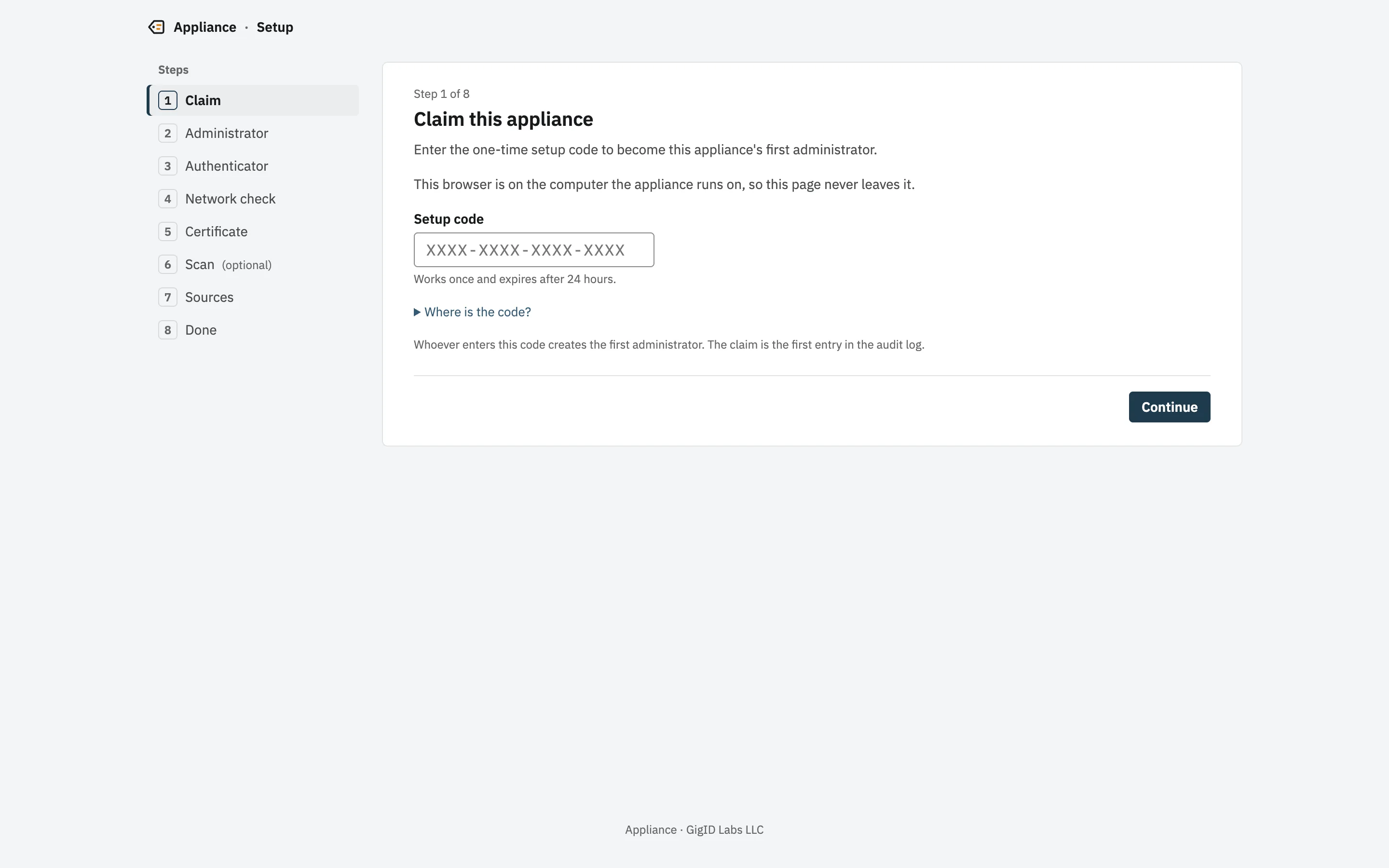
Short steps, kept across restarts, each recorded with who did it and when. Each switch gets a live three-step test before it is saved: reach it, sign a request, read its tables. A failed step names an error code and the fix.

  1. Step 1: Check and run it

    Check the download against its published SHA-256, then run it. The terminal prints a one-time setup code and the certificate fingerprint.

  2. Step 2: Create the administrator

    A password of at least 15 characters and an authenticator app. Only someone at that computer can do this.

  3. Step 3: Add switches and firewalls

    Enter each address and its read-only SNMPv3 user. Test connection shows exactly where a connection fails, with the fix.

  4. Step 4: Decide and review

    Approve the routine devices in groups, give the Reviewer role to someone other than the Admin, and print the key registration sheet for your examiner.

appliance start -org "Example Community Bank"Appliance is running.  Open         http://127.0.0.1:8480/setup  Setup code   in /Users/you/Library/Application Support/com.gigidlabs.appliance/setup-code.txt (single use, expires in 24 h)  TLS SHA-256  A2:3C:D2:D2:CE:12:EE:AE:AA:22:B9:66:74:66:76:F0:DB:CE:4D:8C:4F:E8:EC:66:94:58:0F:27:DB:84:27:E2  Data         /Users/you/Library/Application Support/com.gigidlabs.appliance  Log          /Users/you/Library/Application Support/com.gigidlabs.appliance/logs/appliance.logPress Ctrl+C to stop.
Real output of the first run on macOS, with the data folder shown at its default path.
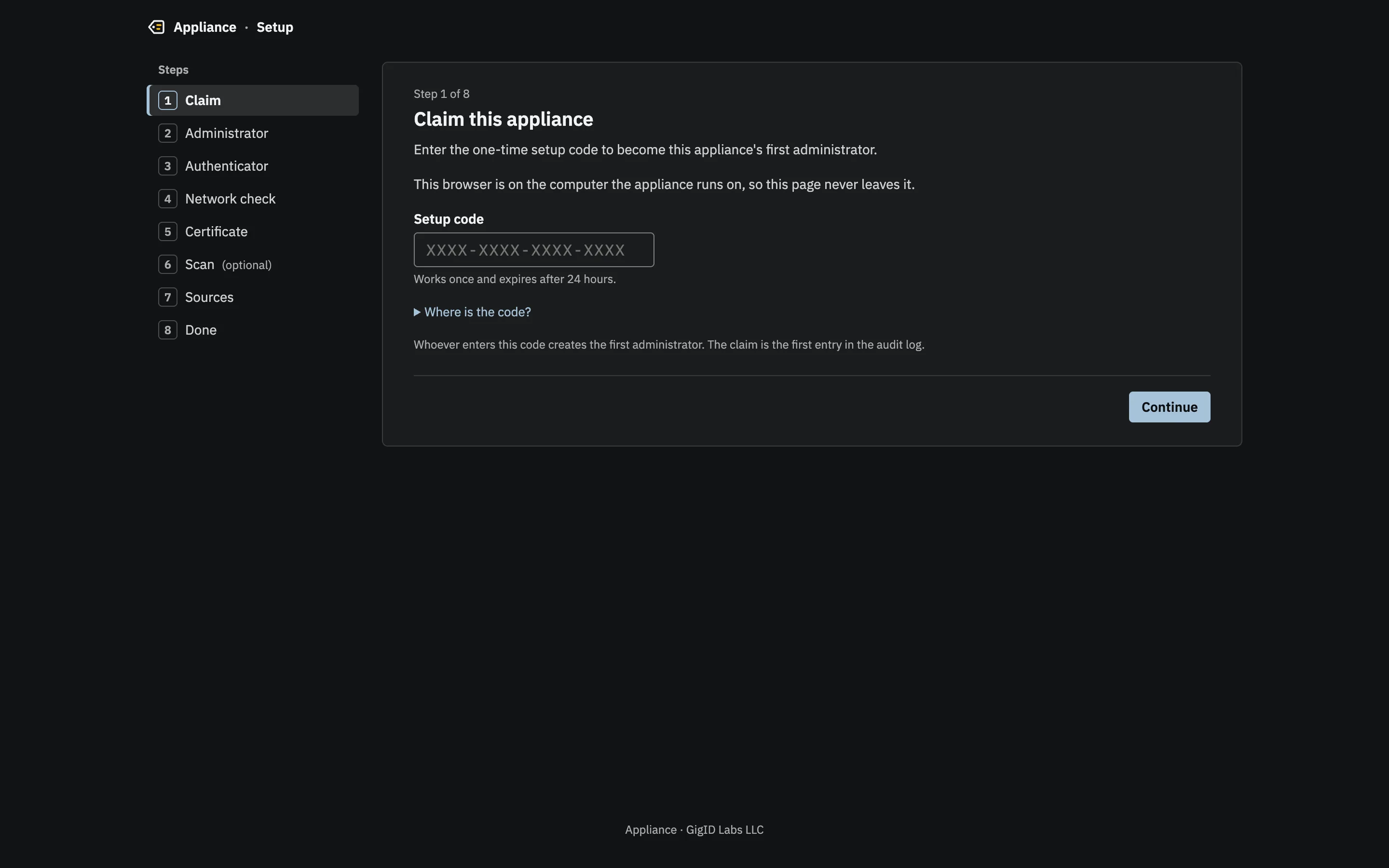
Setup, in the new interface, is eight short steps. Claiming the appliance is the first entry in its audit log.

Get started in the docs

Questions

Does it work with my switches and firewalls?

It reads switches and firewalls over SNMPv3 using the standard MIBs most managed gear serves: BRIDGE-MIB and Q-BRIDGE-MIB for MAC tables, IP-MIB for ARP, and LLDP and Cisco CDP for neighbors. It is tested against a simulator; real-gear verification is under way. Send us your switch and firewall models and we will tell you what we know.

What if a switch only speaks SNMPv2c?

An Admin can add it as an exception, with a reason and an end date. The exception is recorded in the audit log when the source is saved, and the source shows as a logged exception on the Sources list and in every poll’s warnings.

Do I need managed switches?

For continuous monitoring, yes: managed switches, or a firewall that answers SNMPv3. Without them, Scan my network lists what is on the local network, with maker and name, but it is a snapshot, and the appliance labels it that way.

Does it use SSH or vendor APIs?

Not today. It reads over SNMP only. SSH and vendor-API collection are planned.

Does it block devices?

No. It never writes to a switch. When a port should be shut, the alert prints the command for a person to run, so a printer or phone that cannot authenticate is never taken offline by the appliance.

Early access: now taking pilot customers.

See it on your own network.

A live demo with the engineers who built it. We bring a simulated network; you bring your questions.